
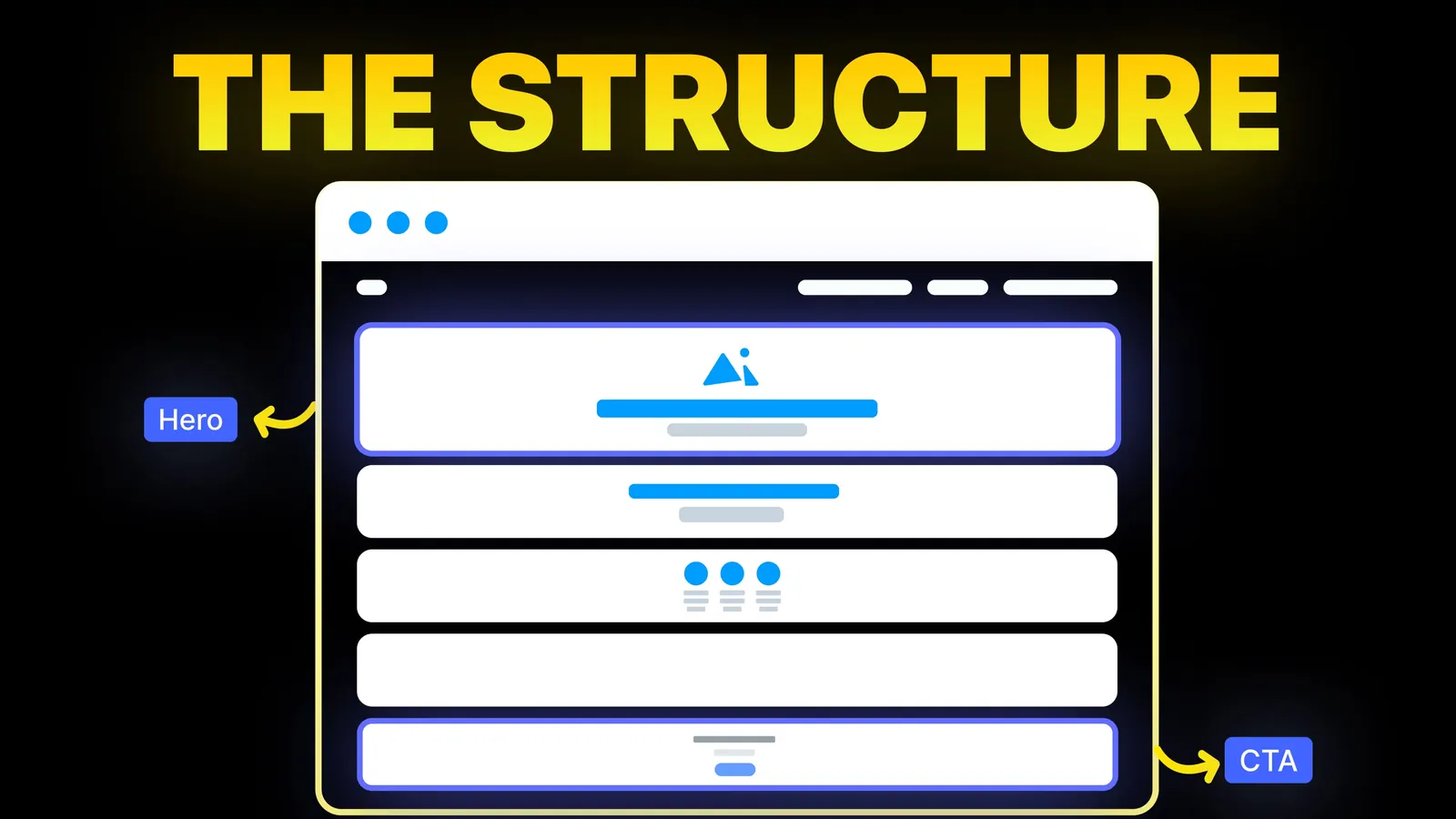
How to Turn Your Website Into a High-Converting Sales Machine
The structure behind a website that sells: the five decisions that carry conversion, the homepage section order, and how to rebuild without losing traffic.
Web Design
Most audit checklists are a flat list of 50 things with no order and no pass line. This one groups 30 checks into eight areas, puts the ones that cost you enquiries first, gives each a pass line, and ends with a score sheet. Thresholds come from Google and W3C pages read on 1 November 2026.
An audit answers one question: is anything stopping the right people from finding you, trusting you or contacting you? It is not a ranking guarantee. It produces a short, ordered list of fixes.
Two other guides here cover narrower jobs: the website redesign SEO checklist for moving a site without losing rankings, and website speed optimization for load time. This is the regular health check. If it makes you doubt the whole site, read signs your website needs a redesign.
Open a phone, a laptop, Google Search Console for your domain and your analytics, and note your enquiries for the last 90 days. Write your goal for the site in one line, for example "phone calls from homeowners in our town".
This is the whole audit. Work through it from the top. Each check has a pass line. Where a pass line comes from Google or W3C, the page is linked. Anything unlinked is our own rule.
A broken form loses every enquiry quietly, so this area comes first. Our guide to contact page design covers what the page should hold.
Google's report splits addresses into Indexed and Not indexed and gives a reason for each one that is not indexed, such as a no-index rule, a 404, a redirect, a robots.txt block, a server error, a soft 404 or a duplicate where Google chose another version. A removed page returning a 404 is normal. A service page marked no-index is not. Checked 1 November 2026. Need a robots.txt file? Our robots.txt generator builds one.
The web.dev page, last updated 31 October 2024 and read on 1 November 2026, sets those "good" targets and says a page passes only when it meets all three. If you fail, follow the order in our speed guide: images, then third-party scripts, then caching.
Google says it uses the mobile version of your content for indexing and ranking, and that mobile and desktop should carry equivalent primary content, headings, titles, descriptions and image details. Content should not need a swipe or click to load. A responsive site rarely has mismatches. Checked 1 November 2026.
Google advises descriptive, concise titles, avoids vague labels such as "Home", and warns that one title across many pages makes them hard to tell apart. It gives no character limit and says titles are cut to fit the device width. Our meta title checker previews a title. Checked 1 November 2026. Check 22 is the one owners fail most: "Open until 2024" or a service you stopped offering costs trust that no tool will flag.
W3C counts large text as 18 point, or 14 point bold, which it says is about 24 and 18.5 pixels, and says the ratios are strict: 4.499 to 1 does not pass. Test colours with the colour contrast checker. Checked 1 November 2026.
Details that differ between your site and your listings confuse customers and search engines. Legal pages depend on where you trade, so check the official source for your country. This is not legal advice.
Google says a 404 tells it the content does not exist, and a page that looks like an error but returns a success code is reported as a soft 404. So the page should say "not found" and the server should say so too. Checked 1 November 2026.
Print or copy this. Give each area its points: one point per check passed. Then total.
| Area | Checks | Your score | Fix first if |
|---|---|---|---|
| 1. Reaching you | 5 | ___ / 5 | Any fail |
| 2. Indexing | 5 | ___ / 5 | Any fail on a key page |
| 3. Speed | 4 | ___ / 4 | Two or more fail |
| 4. Phone | 4 | ___ / 4 | Any fail |
| 5. Titles and content | 4 | ___ / 4 | Two or more fail |
| 6. Readability | 3 | ___ / 3 | Any contrast fail |
| 7. Trust | 3 | ___ / 3 | Any fail |
| 8. Links | 2 | ___ / 2 | Any fail |
| Total | 30 | ___ / 30 |
Our own bands, not a Google score: 27 to 30 is healthy, so re-check in six months. 21 to 26 needs a focused fix list, starting with areas 1 and 2. Below 21 means the site is likely costing you enquiries, so fix areas 1, 2 and 4 first, then decide whether patching or rebuilding is cheaper.
Write the date and score at the top of the sheet so the next audit has a before.
Sort every failed check into one of three piles: today (under an hour and stops enquiries, such as a broken form or a stray no-index), this month (titles, image sizes, contrast colours) and decide (a slow template, platform limits). If three or more land in "decide", compare patching with rebuilding using our website redesign cost guide. For wording and buttons, see call to action examples and why a website is not converting.
Skip the full version if the site is a few months old, or if you changed one page (re-check that page). Be careful with automated scores too. A tool can say 92 while your form is broken, because it does not fill it in. Checks 1 to 5 need a human. For a quick automated first look, our free website audit gives a starting point, and the checklist does the rest.
Our guide to website maintenance cost shows what ongoing care includes.
If your score comes back low, we turn the failed checks into a fix list ordered by what they cost you in enquiries, then do the work on Webflow, Framer, WordPress, Shopify, Wix, Squarespace or a custom build. We price from scope, never by the hour, so the audit findings decide the quote. For speed, forms and conversion fixes, see our website optimization service. For a rebuild after a poor score, see web design and UI/UX.
Twice a year, plus after any big change such as a new theme, a platform move or a new form. A monthly check of the form and indexing report catches quiet failures.
For a small site and its three main pages, expect two to four hours the first time. The second round is faster because you have last time's score sheet.
Whether a visitor can contact you. Submit your own form and tap your own number. A broken form loses every enquiry quietly, and no speed fix makes up for it.
Google's web.dev page sets the "good" targets as Largest Contentful Paint of 2.5 seconds or less, Interaction to Next Paint of 200 milliseconds or less, and Cumulative Layout Shift of 0.1 or less, measured at the 75th percentile. A page passes only when all three are met.
No. Fix what stops enquiries first, then search visibility, then cosmetics. Choices like a slow template go in the "Decide" pile.
It can, because several checks cover indexing, titles, mobile content and errors, which affect how Google reads the site. It does not guarantee rankings. It removes blockers and shows you where to improve.

The structure behind a website that sells: the five decisions that carry conversion, the homepage section order, and how to rebuild without losing traffic.
Find out why your website is not showing on Google. Check indexing first, then match your Search Console status to Google's own reasons and fixes.

Local SEO for small business from Google's own pages: ranking factors, a Business Profile checklist, review rules and website pages. Checked 1 November 2026.