
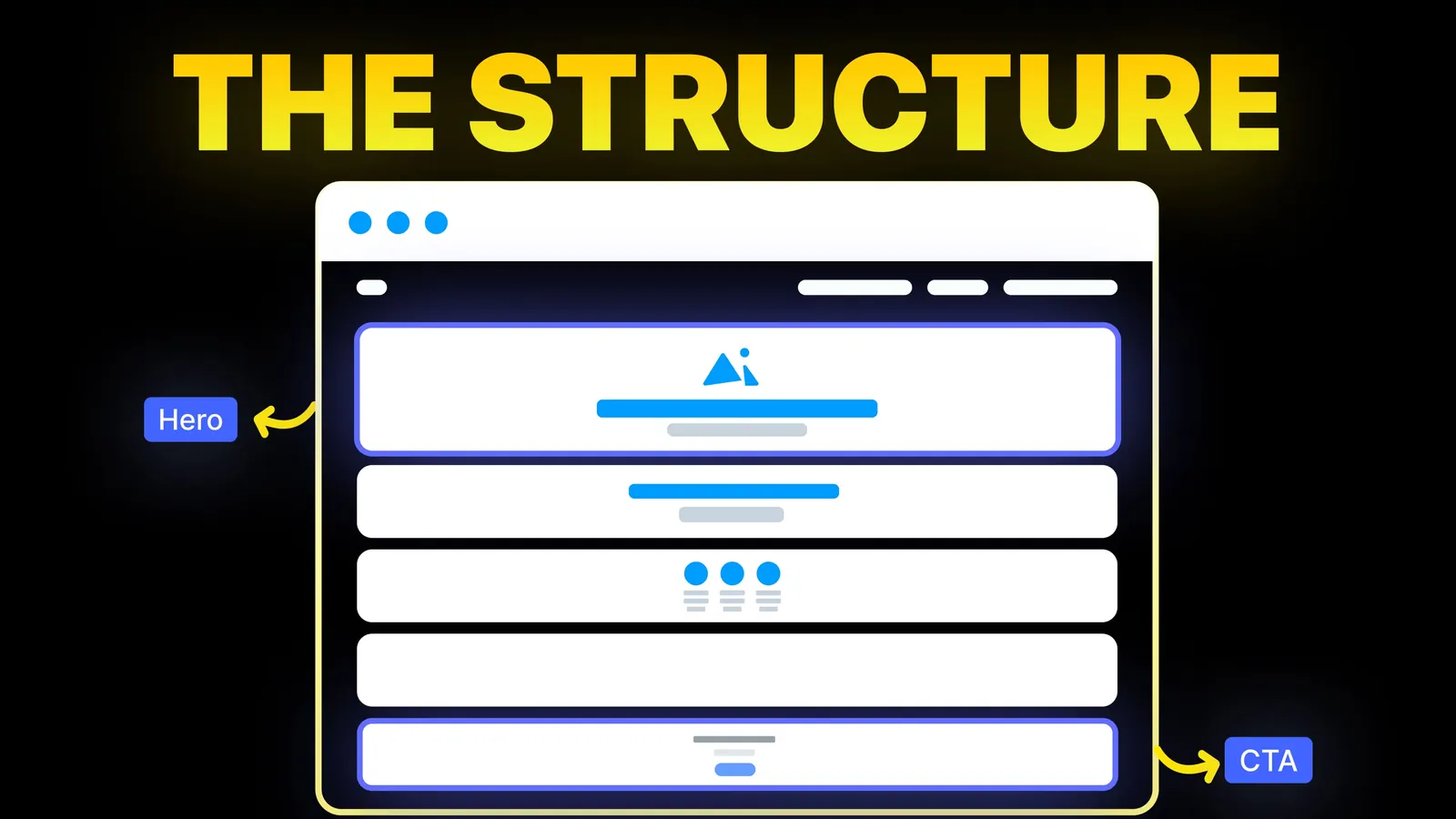
How to Turn Your Website Into a High-Converting Sales Machine
The structure behind a website that sells: the five decisions that carry conversion, the homepage section order, and how to rebuild without losing traffic.
Web Design
The popular lists of call to action examples are full of large brands like Slack, Zoom and Spotify. A small business needs something different: the words for a plumber, a clinic or a consultant, where to put the button, and how big it must be. Here are wording patterns by business type, plus the real buttons on our own site, read on 23 October 2026.
Pick the one action you want from a visitor on that page. Put it in a button in the first screen and again after the proof. Write it as a verb plus the thing, such as "Book a free quote" or "Reserve a table". Add a lighter second button next to it, and repeat the main one in a fixed bar on mobile. Then change one thing at a time and watch the results.
Who is writing: Amariq is a web design studio, and the buttons in the second half of this post are the ones on our own site. We have an interest in conversion work, as our conversion-focused redesign service shows, so read it knowing that.
On 23 October 2026 we looked at the results Google showed for "call to action examples for small business website": Figma, Wix, Webflow, LandingRabbit, BDOW, Virtual Stacks, Squarespace, Zapier and Directive. We read the outlines of the Wix and Zapier guides in full. Three things stood out.
Use these as starting wording. Each row pairs a main action with a lighter one, and says where it belongs and what the form should ask.
| Business | Main button | Lighter button | Where it goes | What the form asks |
|---|---|---|---|---|
| Plumber or electrician | Call now | Get a free quote | Phone number in the header and a fixed bar on mobile | Name, phone, postcode, the job |
| Dentist or clinic | Book an appointment | See our treatments | Header, hero, end of each treatment page | Name, phone, preferred time. Avoid asking about health details |
| Lawyer or accountant | Book a consultation | Read how we work | After the services list and the proof | Name, email, topic in one line |
| Restaurant or cafe | Reserve a table | See the menu | Header and hero | Date, time, party size, phone |
| Consultant or freelancer | Book a 30-minute call | See the work | Hero and after case studies | Name, email, the project in one line |
| Shop | Add to basket | View delivery and returns | Product page, next to the price | Nothing before the basket |
| Charity | Donate | See where it goes | Header and every story page | Amount, then payment details |
Two notes. For health services, our dentist website guide covers why a booking form should not collect health details. For trades, the plumber website guide explains the call button and service-area pages.
We read the button text on amariq.com on 23 October 2026. These are the actual labels, and we did not test whether they work better than alternatives.
| Page | Main button | Lighter button | Mobile |
|---|---|---|---|
| Homepage | Start a project | See the work | A bar reading "Have a project in mind? Book a discovery call" |
| Contact page | Send enquiry | Email us instead | The same bar |
| A service page | Start a project | All services | The same bar |
| Amariq Studio page | Get the free skill | Watch on YouTube | A bar reading "Get the starter AI skill" |
| Blog posts | Start a project | All articles | The same bar |
The pattern is the one in the table above: one clear next step in a filled button, one lighter option in an outlined button, and the same step repeated in a mobile bar. We also offer "Book a 30-minute call" as a second route on the contact page, because some visitors want to talk before writing a brief.
The form that sits behind the button matters just as much, and our guide to contact page design covers the fields, labels and messages.
Put the main button in the first screen, then again after the proof, then at the end of the page. Keep a lighter button next to it, with a clear difference in weight so the main one wins.
On mobile, a fixed bar with one button keeps the action in reach while someone scrolls. Make every button at least 24 by 24 CSS pixels, as WCAG 2.2 criterion 2.5.8 asks at level AA, and give it room so a thumb does not hit the wrong target. Check the text and background colours with our colour contrast checker. The hero layout is covered in our hero section guide, and the page order in our landing page structure guide.
If visitors arrive and leave without acting, our guide to why a website does not convert goes through the other causes.
Change one thing at a time: the wording, the colour or the position. Let it run long enough to collect a meaningful number of visits before you decide, and record what you changed and when. Do not copy a percentage from an article and expect it on your site. The result that matters is the number of calls, bookings and enquiries on yours.
When we redesign a site we plan the main action for every page, write the button text, and set the layout around it. Projects are priced from their scope and never by the hour. We take 40% to begin, 30% when the design is approved and 30% before launch, and on final payment the design, copy and code are yours. See our conversion-focused redesign service and our guide to writing website copy that converts.
A verb plus the thing the visitor gets, such as "Book a free quote", "Reserve a table" or "Call now". It should match the next real step for that type of business.
One main action, repeated where it makes sense, plus one lighter option. More than that makes the visitor choose.
In the first screen, again after the proof, and at the end. On mobile, add a fixed bar with the main action.
At least 24 by 24 CSS pixels to meet WCAG 2.2 level AA, and larger on mobile so it is easy to tap. Check the colour contrast too.
No. Name the result, such as "Send enquiry" or "Book a call", so the visitor knows what happens next.
It can, but contrast and clarity matter more than a particular colour. Test one change at a time on your own site.
Count the calls, bookings and form sends before and after a change, over enough visits, and keep notes on what you changed.

The structure behind a website that sells: the five decisions that carry conversion, the homepage section order, and how to rebuild without losing traffic.
Contact page design for a business site: what to include, which form fields to ask for, label and autocomplete rules from W3C, and how our own form behaves.
Traffic but no enquiries? Here is how to find where visitors drop off, the eight reasons a site stops converting, and a two-week plan to fix it.