
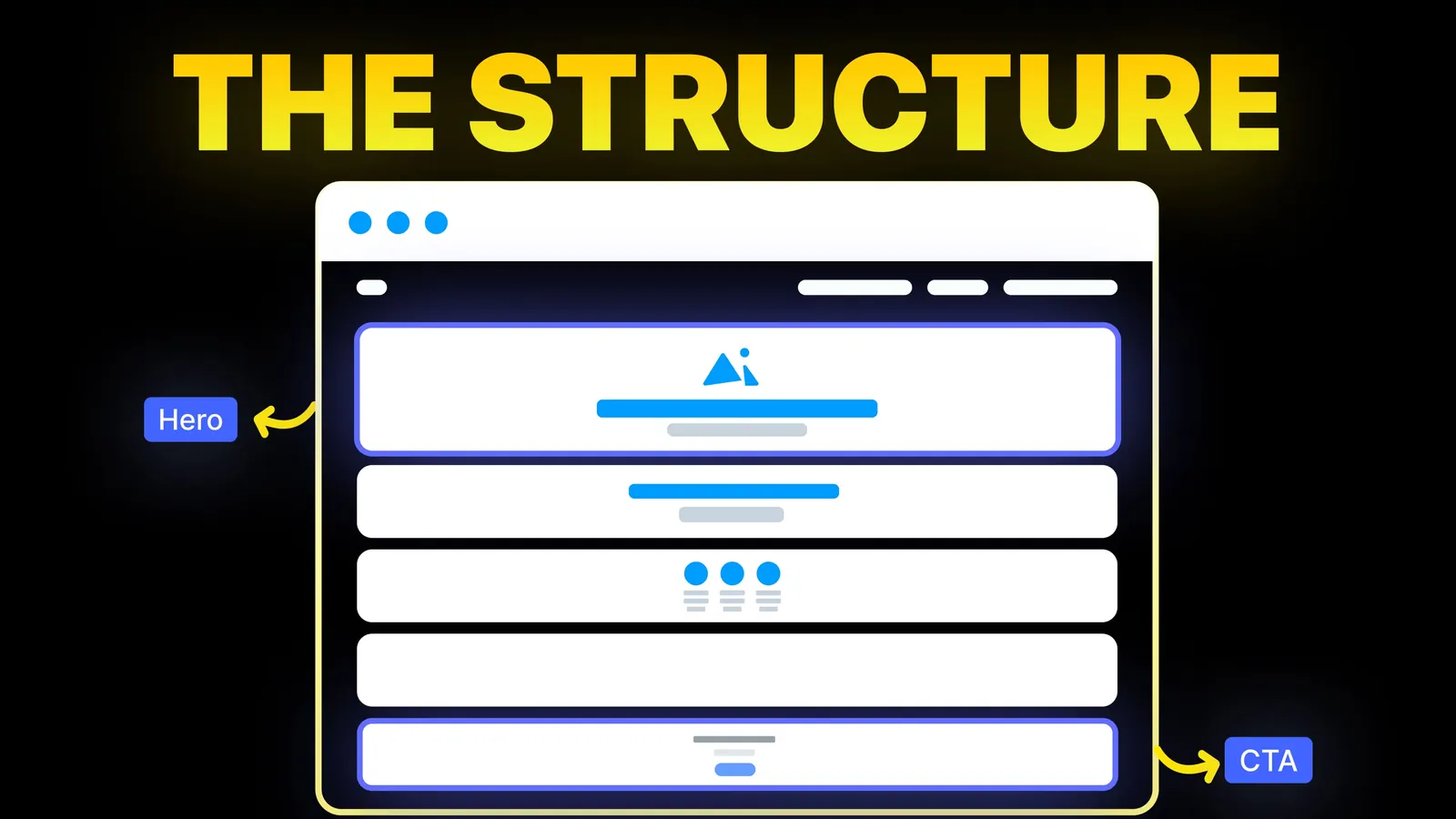
How to Turn Your Website Into a High-Converting Sales Machine
The structure behind a website that sells: the five decisions that carry conversion, the homepage section order, and how to rebuild without losing traffic.
Web Design
A page can be missing from Google for very different reasons, and each one has a different fix. This guide starts with the one check that splits the problem in two, then matches every Search Console status to Google's own description of it. Checked 1 November 2026.
This is general information, not advice about your site. Google's own help pages, linked below, are the final word.
Do this test first. It tells you which half of this guide you need.
site:yourdomain.com. Google's help page for new sites uses this to check what is indexed, and it warns that the operator does not necessarily return every indexed URL. Treat it as a quick hint, not a count.If you do not have Search Console yet, set it up before you do anything else. It is free, and every later step depends on it.
Google says a page needs three things to be eligible for Search.
Google adds a line that matters for expectations. Meeting these requirements does not mean the page will be indexed. Indexing is not guaranteed.
Source: Google Search Central, technical requirements, checked 1 November 2026.
After a new build or a redesign, the cause is often a setting left from the build stage.
X-Robots-Tag header. Many platforms and WordPress plugins also have a single switch that hides the site from search.yourdomain.com/robots.txt in a browser. A line that says Disallow: / under a general rule blocks the whole site for crawlers that follow it.There is a trap hidden here. Google's block-indexing page warns that if robots.txt blocks a page, Googlebot never sees the no-index rule on it. The page can still turn up in results if other sites link to it, usually without a description. So the correct way to keep a page out of Google is no-index with crawling allowed, not a robots.txt block. Google's robots.txt introduction says the file is for managing crawler traffic, and that no-index or a password is how you keep a page out.
Sources: robots.txt introduction and block indexing with no-index, both checked 1 November 2026.
After you remove a no-index tag, Google has to crawl the page again to see the change. Google says a recrawl of a less important page can take months, and that the URL Inspection tool can be used to ask for one. So a fix can look like it did nothing for weeks.
If you recently rebuilt your site, our website redesign SEO checklist walks through the launch-day checks that catch these leftovers, including the old-address redirects.
Open Search Console, then Indexing, then Pages. Click a "Why pages aren't indexed" row and read the name. The table below follows Google's own page indexing help page, in plain words.
| Status name | What Google says it means | What to do |
|---|---|---|
| Crawled, currently not indexed | Google fetched the page but has not indexed it. It may be indexed later. | Do not resubmit. Improve the page and its links, see Step 4. |
| Discovered, currently not indexed | Google knows the address but has not crawled it, likely because it rescheduled the crawl to avoid overloading the site. | Check server speed and errors, link to the page from your own pages. |
| URL marked no-index | Google found a no-index rule. | If you want it indexed, remove the rule and request indexing. |
| URL blocked by robots.txt | Your robots.txt blocks the page. | Remove the block if you want it in Google. Use no-index if you want it out. |
| Not found (404) | The page returned a 404. | Fine if removed on purpose. Use a 301 redirect if it moved. |
| Duplicate without user-selected canonical | The page duplicates another and Google chose a different main one. Google says this is not an error. | Declare a canonical if Google picked the wrong page. Make the content different if it is not really a duplicate. |
| Blocked due to access forbidden (403) or unauthorized request (401) | Googlebot cannot get past a login or a block. | Allow public access to pages you want indexed. |
Source: Google Search Console Help, page indexing report, checked 1 November 2026.
Many "not indexed" rows are harmless. Google also lists redirected addresses, alternate versions and deliberate 404s, which need no action. Work only on rows that hold a page you want in Google.
For "Crawled, currently not indexed", Google says the page was crawled, it may be indexed later, and there is no need to resubmit it. Sending the same page again does not change the result. Changing the page might.
Google does not publish a checklist of why a crawled page is left out. It does say, in its guidance on helpful content, that its ranking systems aim to show content made for people, and it lists questions you can ask yourself. These apply to a page that is not getting in:
That guidance page speaks to ranking and search results. It does not tie content quality directly to indexing, so treat these as the best questions available, not a proven rule.
A practical order of work for a page stuck in this status: link to it from two or three of your strongest pages, make it say something your other pages do not, check it is in your sitemap, then wait. Google says changes can take a few weeks to be noticed.
Sources: helpful content guidance and get on Google, checked 1 November 2026.
If URL Inspection says the page is on Google and you still cannot find it, the cause is rank, not indexing.
If visitors arrive but do nothing, you have a different problem. Then read why your website is not converting.
Sources: sitemaps overview and URL Inspection tool help, checked 1 November 2026. Each property has a daily request limit, so save requests for pages that matter.
Free Search Console plus these steps covers most cases on a small site, and waiting may be the whole answer for a site under a month old. Get help when the status list is long and mixed, when a rebuilt site lost traffic, or when hosting or firewall settings may be rejecting Google. A cleanly built site is also easier to keep indexed, and our note on what website upkeep costs shows what ongoing care covers. For page structure, see how to build a high-converting website, and for design problems the signs your website needs a redesign.
When a site is missing from Google, we start with the Page indexing report and sort the rows into harmless and harmful, so you know which ones need action. Then we check the build itself: no-index settings left from staging, robots.txt rules, redirects, status codes and the way pages link to each other. We work on Webflow, Framer, WordPress and Shopify, and on Wix, Squarespace and custom builds.See our website optimization service or our Webflow maintenance.
Google says it can take a few weeks to notice a new site. During that time, check that the site is not blocked and that Search Console is set up. A sitemap and a few links from other real sites can help Google find it.
It means Google fetched the page but has not added it to the index. Google says it may be indexed later and that you do not need to resubmit it. The useful response is to make the page more original and link to it from stronger pages.
Google knows the address but has not crawled it. Google says this is likely because it rescheduled the crawl to avoid overloading the site. Check your server for errors and slowness, and link to the page from your own content.
No. Google says robots.txt is not a mechanism for keeping a page out of Google, and a blocked address can still appear without a description if other sites link to it. Use no-index, and leave the page crawlable so Google can see the rule.
Indexing only means Google stored the page. Where it ranks depends on how well it answers the search compared with other results. Read the pages that rank, find what they give that yours does not, and improve yours.
Google says a few weeks for a new site or for changes to an existing one. If the Page indexing report shows a clear cause such as no-index or a 404, fix it at once. If it shows nothing wrong, wait and keep improving the page.

The structure behind a website that sells: the five decisions that carry conversion, the homepage section order, and how to rebuild without losing traffic.
Local SEO for small business from Google's own pages: ranking factors, a Business Profile checklist, review rules and website pages. Checked 1 November 2026.
Five website color schemes with every text and button pair scored for contrast against WCAG 2.2, plus fixes for the pairs that fail. Checked 1 November 2026.