
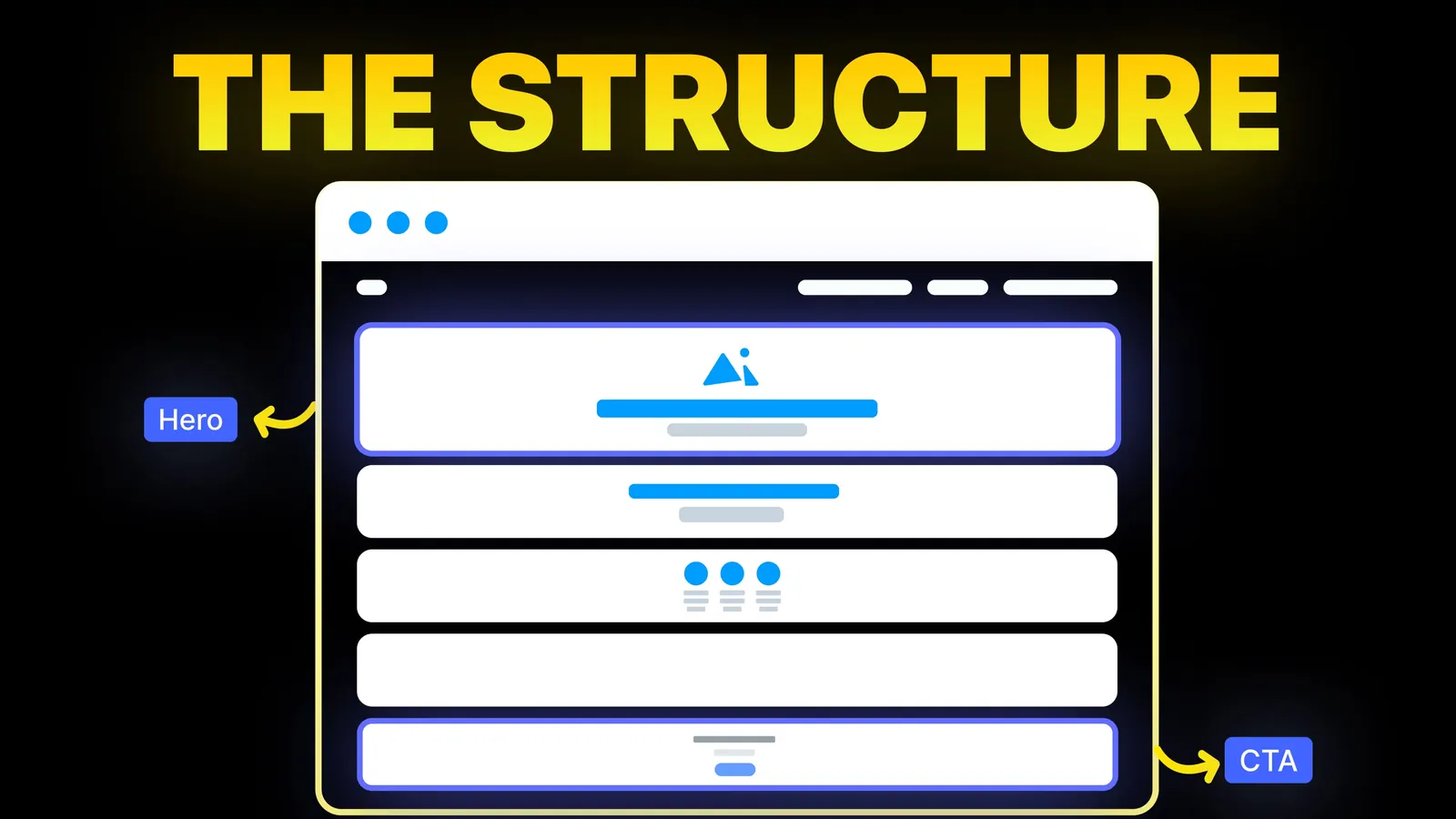
How to Turn Your Website Into a High-Converting Sales Machine
The structure behind a website that sells: the five decisions that carry conversion, the homepage section order, and how to rebuild without losing traffic.
Web Design
Most color scheme guides show swatches and leave you to find out later that the grey text is too faint or the white label on the bright button cannot be read. This one gives five palettes with hex codes and a computed contrast ratio for each text, link and button pair, then shows how to repair the pairs that fail. Checked 1 November 2026.
Contrast ratio is a number from 1:1 (no difference) to 21:1 (black on white). It compares how bright two colors are, not how different they look. The W3C's page on the Contrast (Minimum) criterion, read on 1 November 2026, gives the formula: add 0.05 to the relative luminance of the lighter color, add 0.05 to the darker one, and divide. Relative luminance weights the red, green and blue channels at 0.2126, 0.7152 and 0.0722, after each channel is converted from the screen value to a linear value.
Every ratio in this post was computed with a short script that follows the W3C formula exactly, and you can check any pair yourself with our colour contrast checker. The thresholds come from three W3C pages, all read on 1 November 2026:
| Rule | What it covers | Ratio needed | Level |
|---|---|---|---|
| Contrast (Minimum) | Normal text | 4.5:1 | AA |
| Contrast (Minimum) | Large text: 18 point, or 14 point bold | 3:1 | AA |
| Non-text Contrast | Parts of a control that identify it, and graphics needed to understand content | 3:1 | AA |
| Contrast (Enhanced) | Normal text, large text | 7:1, 4.5:1 | AAA |
The W3C says the thresholds are not rounded, so 4.499:1 does not meet 4.5:1. It converts large text to about 24 pixels regular or 18.5 pixels bold. Below those sizes, use 4.5:1.
We read two of the pages that rank for this topic on 1 November 2026. Kinsta's guide lists example sites and gives hex codes for its own scheme: a dark purple #5333ed, a turquoise #2cd4d9 and a grey #6E7076 for text. It gives no contrast ratios, and its accessibility advice is about color blindness. Website Setup's guide lists 51 schemes, states the 4.5:1 and 3:1 thresholds and suggests a 60-30-10 split between dominant, secondary and accent colors.
Neither shows a ratio for its colors, so we computed the three Kinsta colors against white:
| Kinsta color | Hex | Ratio on white | Passes 4.5:1 for text? |
|---|---|---|---|
| Dark purple | #5333ed | 6.85:1 | Yes |
| Grey text | #6E7076 | 4.95:1 | Yes, narrowly |
| Turquoise | #2cd4d9 | 1.82:1 | No, and not for icons either |
The turquoise suits a gradient or a large shape and is a poor text color. A palette is a set of roles, and each color is right for only some of them.
The hex codes are our own starting points, not a copy of any brand. Each ratio is computed for the exact pair named.
| Role | Pair | Ratio |
|---|---|---|
| Body text | #0B1F3A on #FFFFFF | 16.52:1 |
| Muted text | #4B5563 on #FFFFFF | 7.56:1 |
| Link or accent text | #2563EB on #FFFFFF | 5.17:1 |
| Button label | #FFFFFF on #2563EB | 5.17:1 |
Every pair clears 4.5:1. This is the easiest scheme to keep accessible, which is why so many business sites look like it.
| Role | Pair | Ratio |
|---|---|---|
| Body text | #1F1F1F on #FAF7F2 | 15.42:1 |
| Accent text | #A6402B on #FAF7F2 | 5.80:1 |
| Button label | #FFFFFF on #A6402B | 6.20:1 |
| Lighter accent #C8553D as text | #C8553D on #FAF7F2 | 4.07:1 |
The lighter terracotta looks livelier and fails as text. Darkening it to #A6402B keeps the warmth and passes.
| Role | Pair | Ratio |
|---|---|---|
| Body text | #052E16 on #F0FDF4 | 14.24:1 |
| Accent text | #166534 on #F0FDF4 | 6.81:1 |
| Button label | #FFFFFF on #166534 | 7.13:1 |
| Bright button, white label | #FFFFFF on #22C55E | 2.28:1 |
| Bright button, dark label | #052E16 on #22C55E | 6.54:1 |
White on the bright green is only 2.28:1. Use the deep green with a white label, or keep the bright green with a near-black label.
| Role | Pair | Ratio |
|---|---|---|
| Body text | #F1F5F9 on #0F172A | 16.30:1 |
| Muted text | #94A3B8 on #0F172A | 6.96:1 |
| Dimmer text, not for reading | #64748B on #0F172A | 3.75:1 |
| Accent text | #38BDF8 on #0F172A | 8.33:1 |
| Button label | #0F172A on #38BDF8 | 8.33:1 |
Mid-tone greys that look refined on a dark page often sit under 4.5:1. Keep the dimmer slate for borders, not sentences.
| Role | Pair | Ratio |
|---|---|---|
| Body text | #EDE6D6 on #111111 | 15.19:1 |
| Gold text | #C9A227 on #111111 | 7.81:1 |
| Button label | #111111 on #C9A227 | 7.81:1 |
| Same gold on white | #C9A227 on #FFFFFF | 2.42:1 |
Gold works on black and fails on white. For a light section, use a darker gold such as #8A6D0B on cream #FFFBEB, which scores 4.74:1.
The same few problems repeat. Each row shows the ratio and the smallest fix.
| Common choice | Ratio | Fix | New ratio |
|---|---|---|---|
| White label on orange #F97316 | 2.80:1 | Dark #1F2937 label, or darken the orange to #C2410C for a white one | 5.24:1 or 5.18:1 |
| Light grey text #9CA3AF on white | 2.54:1 | Grey #6B7280 | 4.83:1 |
| Pale border #D1D5DB on a white field | 1.47:1 | Border #6B7280 | 4.83:1 |
| Teal #14B8A6 as text on white | 2.49:1 | Deeper teal #0F766E | 5.47:1 |
Yellow, light green, orange and pale teal work as backgrounds with dark text and fail as text on white. A pale field border looks tidy and, at 1.47:1, fails the 3:1 test for controls.
For the layout those colors sit in, see our guides to hero section design, call to action examples and homepage design ideas.
The W3C's Use of Color page, read on 1 November 2026, sets a Level A rule: color must not be the only way to show information or tell elements apart. Its example is a required field marked in red that also carries an icon. So give error messages words, and underline links inside paragraphs.
Keep what you have if your brand colors already pass the pairs you use. Often the fix is a darker text variant, as with the terracotta above, while the original stays in the logo and large shapes.
This post does not say which hue makes people buy. That is taste and audience, while contrast is a measurable minimum. Passing ratios also do not replace a full accessibility audit, and a pair that passes can still be hard to read over a photograph or in thin type, so test it where it sits. Legal duties differ by country, so this is not legal advice. Read the W3C pages linked above and your local regulator.
A palette is cheapest to fix on paper. When we design a site on Webflow, Framer, WordPress or Shopify, or on Wix, Squarespace or a custom build, we turn the agreed colors into a short table of approved pairs before the first section is laid out and check each against the ratios above. The pairs then go into the style settings, so a button cannot drift off palette when someone edits later.
Our work is priced from scope, not by the hour. If you want your colors reviewed, see our web design and UI/UX service or the website optimisation page. Related reading: website conversion optimization and how to build a high-converting website.
The W3C asks for at least 4.5:1 for normal text and 3:1 for large text at Level AA, read on 1 November 2026. Large text means 18 point, or 14 point bold. The stricter AAA level asks for 7:1 for normal text and 4.5:1 for large text.
Kinsta's guide suggests three to seven colors. In practice, one dominant neutral pair for text and background, one accent and one border color is enough for most business sites. Extra colors are worth adding only when each one has a clear job, such as success and error states.
It is a proportion guide that Website Setup suggests: about 60% dominant color, 30% secondary and 10% accent. It describes how much of the page each color covers. It does not check readability, so score the pairs separately.
No. White on #2563EB scores 5.17:1 and passes, while white on orange #F97316 scores 2.80:1 and fails. Compute the pair, and if it fails, either darken the button color or switch to a dark label.
Yes. The same thresholds apply to light text on a dark page. Muted greys are where dark pages most often fall short, as #64748B on #0F172A shows at 3.75:1. Check the dimmer text colors, not only the main body color.
Enter the two hex codes of each text and background pair in the contrast checker linked earlier and compare the result with 4.5:1 for text or 3:1 for large text and controls.

The structure behind a website that sells: the five decisions that carry conversion, the homepage section order, and how to rebuild without losing traffic.
Eight homepage design ideas for businesses that sell by enquiry, with when to use each, plus the section order of amariq.com's own homepage. Checked 25 Oct 2026.
How to design a services page and each single service page, section by section, with the buyer question every part answers. Checked 26 Oct 2026.