
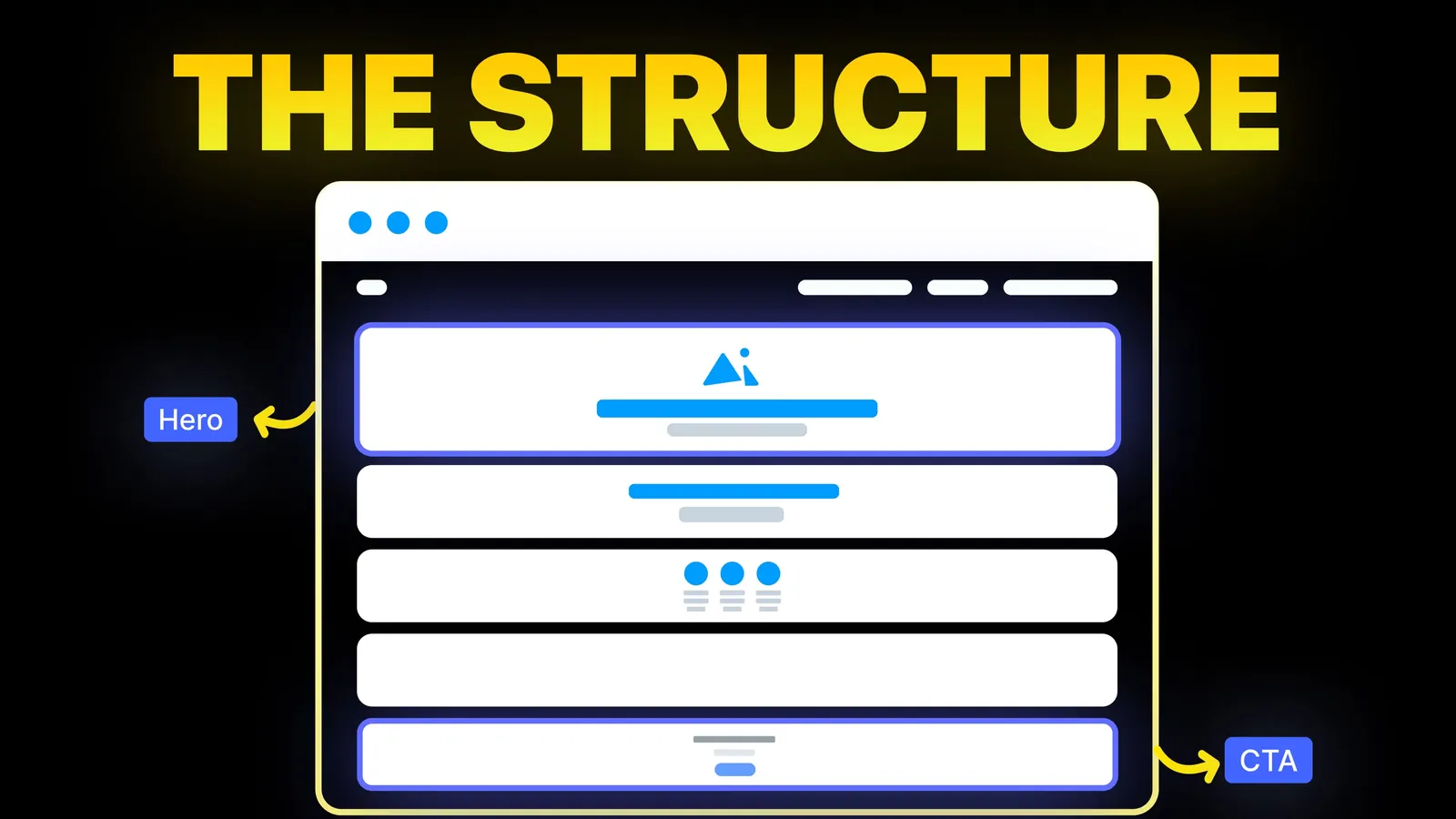
How to Turn Your Website Into a High-Converting Sales Tool
The structure behind a website that sells: the five decisions that carry conversion, the homepage section order, and how to rebuild without losing traffic.
Web Design
Most launch checklists tell you what to tick. Few tell you how to prove the tick is true. This one pairs each of 40 checks with a test you can run in about a minute, puts the four mistakes that cost most at the top, and shows the real results of running the tests on our own site today.
Before launch, prove four things: the live site can be indexed, email still works, every form delivers, and the address you are announcing loads over HTTPS. Then work through content, speed, accessibility, search set-up, legal pages and security. After launch, check the live site again, because some things only break on the real domain.
We searched Google (US, English) for "website launch checklist" on 25 November 2026. The first page had an AI overview, then Webflow's pre-launch article, the Squarespace help page (dated 31 August 2026 in the listing), a Webflow University build and launch checklist, Tilda's 15 things (12 November 2026), Box UK's 13 steps in four phases (25 March 2026), GoDaddy's blog, Austin Web & Design, InMotion Hosting (3 January 2025), a Notion template and Reddit threads. We read the GoDaddy and Austin Web & Design checklists in full. The others we saw as titles and snippets only, because several pages would not load for us.
What the two we read have in common:
The new value here: each check has a test, the order follows the cost of missing it, and the tests were run on a real live site, ours, today.
| # | Check | One-minute test | Why it comes first |
|---|---|---|---|
| 1 | The site can be indexed | View the page source and look in the head for a robots meta tag with a no-index rule. Check the response headers for an X-Robots-Tag. Open the address /robots.txt and look for a line that blocks everything. | Google says a no-index rule makes it drop the page entirely from results, and that robots.txt blocks used while building should be removed when the move starts. |
| 2 | Email still works | Send a message to the business address from outside, and reply from it. | DNS changes can overwrite mail records. Austin's list warns about exactly this. |
| 3 | Every form delivers | Submit each form as a stranger would, with real-looking data, and find the message in the inbox you named. | A form that fails gives no sign on the page. |
| 4 | Both versions of the address land on one HTTPS address | Type http:// and the non-www and www versions. Each should end at the same https address. | Visitors and search engines should see one version. |
Our robots.txt guide explains the file line by line, and DNS records explained covers the mail records.
| # | Check | Test |
|---|---|---|
| 5 | You can log in to the domain registrar | Log in today, not on launch day. |
| 6 | You can log in to the DNS provider, if it is a different company | Same. GoDaddy's checklist says to test credentials the day before and the day of launch. |
| 7 | You can log in to the host or platform with an account in your own name | Check the account owner's email is yours. |
| 8 | You have a screenshot or export of the current DNS records | The file exists and opens. Austin's list says to do this before touching anything. |
| 9 | Nobody is sharing one admin login | Each person has their own. |
| # | Check | Test |
|---|---|---|
| 10 | No placeholder text | Search the site for "lorem" and "ipsum", and for "[" and "TODO". |
| 11 | Phone, email and address are right everywhere | Compare header, footer and contact page against a written master. |
| 12 | Prices and offers are right | Read each against the current price list. |
| 13 | Spelling and names | Read each page aloud, or run it through a spell checker. |
| 14 | Every image has a purpose and alt text | Switch images off or inspect the markup. |
| 15 | No demo content is left | Click through the blog, the shop and any widgets. |
| # | Check | Test |
|---|---|---|
| 16 | Every menu and footer link works | Click each, or crawl with a link checker. |
| 17 | Buttons point to the right place | Check each call to action against what it promises. |
| 18 | A real 404 page exists and returns the code 404 | Open a made-up address and look at the status code. See 404 page design. |
| 19 | The old site's addresses are redirected, if there was one | Test the ten most visited old addresses. See 301 redirects and our website migration checklist. |
| 20 | A thank-you or confirmation message follows every form | Submit and read it. See thank-you page design. |
| # | Check | Test |
|---|---|---|
| 21 | The site works on a real phone | Open it on one phone, one-handed, on mobile data. See mobile website design. |
| 22 | No sideways scrolling on a narrow screen | Narrow the browser window to a phone width and scroll. |
| 23 | It works in the browsers your visitors use | Open it in Chrome, Safari and one other. |
| 24 | Images are sized and compressed | See optimizing images. |
| 25 | A speed test shows no red scores on the home page | Run it. See how to test website speed and Core Web Vitals. |
| 26 | You can use the whole site with only a keyboard | Press Tab through the page and check you can always see where you are. See the accessibility checklist. |
| # | Check | Test |
|---|---|---|
| 27 | Each page has its own title and description | View source, or use the platform's SEO panel. |
| 28 | One main heading per page | Check each page's headings in order. |
| 29 | Each page has a canonical tag pointing at itself | View source. See the canonical tag guide. |
| 30 | A sitemap exists and lists the live addresses | Open /sitemap.xml. See website sitemap. |
| 31 | The site is verified in Google Search Console and the sitemap is submitted | Check the property shows as verified. Google says verification tokens and files must be carried over if you moved. |
| 32 | Analytics is installed and counts a test visit | Visit from your phone and look for yourself in real-time reports. |
| 33 | A Google Business Profile points to the new address, if you are local | See Google Business Profile. |
| # | Check | Test |
|---|---|---|
| 34 | A privacy policy matches what the site collects | Read it beside the forms and analytics you added. See privacy policy. |
| 35 | Cookie consent works if your visitors need it | Open the site in a fresh browser and look. See cookie consent. |
| 36 | Terms or a disclaimer, if you sell or give advice | See terms and conditions. |
| 37 | Photos and fonts have a licence you can show | Keep the licence beside the file name. See stock photos. |
| # | Check | Test |
|---|---|---|
| 38 | The padlock shows and there are no mixed-content warnings | Open the site and look at the browser console. See SSL certificates. |
| 39 | A backup exists and you know how to restore it | Download it, or find the restore button. See website backup. |
| 40 | Admin accounts have strong, unique logins, and updates are applied | Log out and in again, and check the update screen. See the security checklist. |
On 25 November 2026 we ran the commands behind checks 1, 4, 18, 30 and 27 against our own live site. This is a check of our own site, not a claim about anyone else's.
| Check | What we did | Result |
|---|---|---|
| 1 Can be indexed | Looked for an X-Robots-Tag header, a robots meta tag with a no-index rule in the home page source, and the robots.txt contents | No header, no no-index rule; robots.txt says "Allow: /" and names the sitemap |
| 4 One HTTPS address | Requested the http www address and the https non-www address | Each returned a 301 to https://www.amariq.com/ |
| 18 Real 404 | Requested a made-up address | Status 404 |
| 30 Sitemap | Requested /sitemap.xml | Status 200 |
| 27 Title and description | Read the home page head | A title and a description are present |
Two of these use a plain command-line request, which is a free tool on most computers. Our DNS propagation guide shows the same idea for DNS.
We can run the launch with you: these 40 checks on the staging site, then again on the live domain. The price comes from scope, never by the hour, and is paid in three steps: 40% to start, 30% when the design is approved and 30% before launch. Once the final payment is made, the design, copy and code belong to you, and the domain, hosting and analytics accounts sit in your name from the start. See our web design service or book a call.
Access to your accounts, content and link checks, mobile and speed checks, search set-up, legal pages, security and backup, and a plan for the first 30 days. Put the checks that are hardest to see first: indexing, email and forms.
The switch itself is quick, but DNS changes can take time to reach everyone. Our DNS propagation guide explains the TTL setting that controls this.
It is not needed for the site to work, but Google's own guidance recommends it for checking that Googlebot can reach your site and for watching indexing errors after a move.
Leaving something on that was meant only for the build, such as a no-index rule or a robots.txt block. Google says a no-index rule makes it drop the page entirely from results.
There is no rule from the sources we read. Google's move guidance suggests timing a move to a low-traffic period, so pick a quiet day where you can watch the result and fix problems.
Yes, if the four first checks pass and nothing on the site is wrong or misleading. Fix small polish items in the first weeks.
You, the owner. Use separate user accounts for each helper rather than sharing one password.

The structure behind a website that sells: the five decisions that carry conversion, the homepage section order, and how to rebuild without losing traffic.

Case study page design for a service business: a block by block page plan, how to word results you can prove, what to do without numbers, and FTC rules.

Popup design for business websites: when to use one, quieter formats, timing, what Google says about intrusive dialogs, and a keyboard test to run first.