
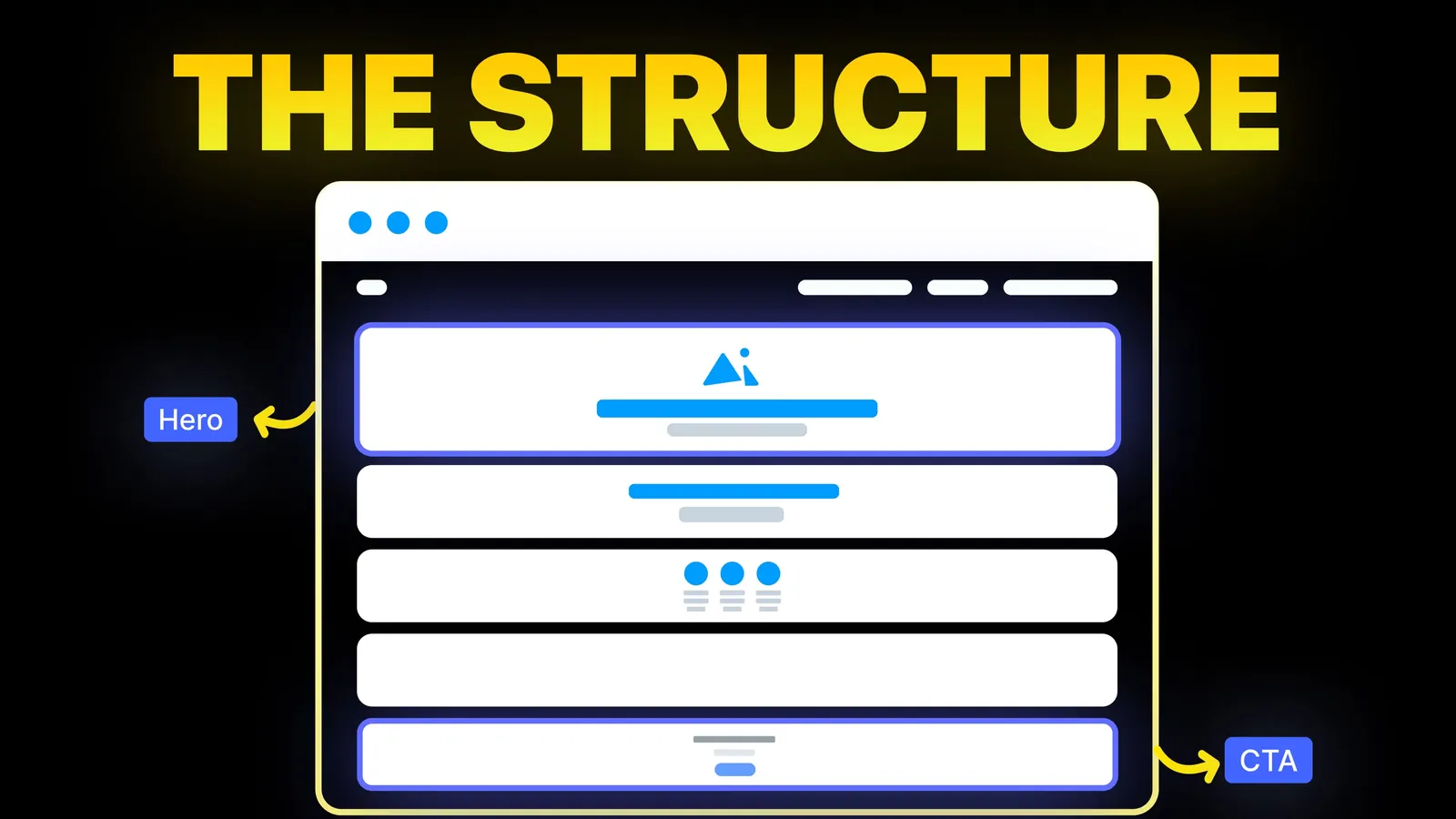
How to Turn Your Website Into a High-Converting Sales Machine
The structure behind a website that sells: the five decisions that carry conversion, the homepage section order, and how to rebuild without losing traffic.
Web Design
Most guides on this topic list ten or more tips and treat them all the same. Google's own help pages are far more specific about some fields than others. This guide sorts each tip by who actually says it, walks through the setup, and covers two things most guides skip: the Q&A change and the calls Google may make to your business. Every Google page below was read on 3 November 2026.
This is general information, not advice from Google. Features vary by country and business type, so check the linked pages for your own profile.
To optimize a Google Business Profile, verify it, pick the most specific primary category, make the name match your real signage, complete the address or service area, hours, phone and website, add real photos, ask customers for reviews and reply to them. Everything else, including posts, is useful for customers but not something Google promises will lift your position.
If your business only sells online, this is not the right tool. Google's getting started page sends storefront and service-area businesses to a profile and online-only businesses to Google Ads.
For how the profile fits with your website, read our local SEO plan for small businesses. This guide stays on the profile itself.
We read the guides that rank for this search on 3 November 2026 (United States, English), including Semrush (19 February 2026) and Shopify (10 July 2025), then compared each tip with Google's help pages. The advice is mostly sound. The problem is that a tip with Google behind it and a tip from a marketer's experience look identical on the page.
| Tip | What Google's pages say | Our reading |
|---|---|---|
| Verify the profile | Verified businesses are more likely to show in results | Confirmed. Do it first |
| Choose precise categories | Your selections affect local ranking | Confirmed, and the strongest statement on any field |
| Complete every detail | Complete and accurate information is more likely to show in local results | Confirmed |
| Get more good reviews | Review count and positive ratings can help ranking | Confirmed, with no number attached |
| Reply to reviews | Replies help you stand out and show you value feedback | Good for customers. Google stops short of calling replies a ranking factor |
| Add photos and video | Listed among the ranking tips, described as a way to show what you offer | Do it. No volume or schedule is given |
| Post every week | Posts share news and help customers decide. Not on the ranking tips page | Optional. Post when you have real news |
| Put keywords in the description | The description should cover what you offer and what makes you special. Nothing about keywords | Unconfirmed. Write it for the reader |
| Add links from other sites | How many sites link to you feeds prominence | Confirmed, and it happens away from the profile |
| Add many secondary categories | Use as few as possible | Guides that say "use them all" go against this |
The confirmed lines come mainly from Google's ranking page.
Semrush cites Joy Hawkins of Sterling Sky on steady new reviews, and Shopify quotes a Localo analysis of 2 million profiles. Those are third-party observations, not Google's rules, and a pattern among high-ranking profiles does not prove the cause.
All of these come from Google's guidelines and its edit page.
Use the name on your sign, website and stationery, and nothing more. Google says extra information can lead to suspension. The banned list includes taglines, store codes, trademark symbols, full capitals, opening hours, phone numbers, web addresses, services and locations. Even "LLC" or "Ltd" needs real-world proof, such as signage or invoices.
Google's test is simple. Finish the sentence "This business IS a", not "has a". A motel with a pool is a motel, and the pool is not a category. Choose the most specific option in the list, because Google says broader ones are implied. Picking "Nail salon" is better than "Salon". Changing or adding a category can trigger a fresh verification, so do not edit it casually in a busy season.
You get up to 750 characters, shown in the "From the business" section. Say what you offer, what is special and how long you have traded. No URLs, no HTML, and no focus on prices or sales.
A virtual office does not qualify. A co-working desk qualifies only with clear signage, staff present and customers received during business hours. If you run a van from home, clear the address and set a service area. Move premises and you must verify again.
Publish the hours customers can actually reach you, and use special hours for holidays. Appointment-only businesses and some others, such as hotels and event venues, should not list hours at all. Restaurants use the hours when diners can sit down, and our restaurant website guide covers the menu rules. You can add up to 2 phone numbers beyond the main one, and all must be under your direct control. Link the website field to your own site rather than a social page that redirects.
Google's media page gives exact limits:
| Item | Google's figure |
|---|---|
| Photo format | JPG or PNG |
| Photo file size | 10 KB to 5 MB |
| Photo resolution | 720 x 720 px recommended, 250 x 250 px minimum |
| Video length | Up to 30 seconds |
| Video file size | Up to 75 MB |
| Video resolution | 720p or higher |
| Time to appear | Up to 24 to 48 hours |
Media shows only after verification. A low-quality cover photo may be replaced with one taken by a customer, and your chosen cover is not guaranteed to appear first. WebP files from your site need saving as JPG first.
Factual attributes such as outdoor seating are yours to set. Subjective ones come from people who visited. Menus must be complete rather than a "popular items" extract, and a menu link cannot point straight at a delivery service. In-store products are for retailers in the US, Canada, UK and Ireland, with regulated goods such as alcohol and medicines excluded.
There are three types: update, offer and event. You can schedule them, repeat them and send one post to several profiles. Google reviews each post, so a new one can sit at Pending. Its policy page warns that posts with unverified phone numbers, emails or social handles may be removed, and suggests a Call now button instead. Hotels cannot publish offers.
Many guides still tell you to seed your own questions and answers. That advice looks out of date.
The practical answer is the same either way. If Maps answers questions using an AI, it needs facts to draw on. Whitespark's checklist names reviews, menus, attributes, categories and FAQ content on your own website as likely sources. That is its observation, not a Google list. Answer common questions on your site, keep your fields full, and if Google offers you Yes or No questions, answer them.
None of the guides we read covers this. Google's automated calls page explains that it may use calls, texts or WhatsApp messages to confirm details such as hours, or to help a customer. In the US, the customer-facing calls run in every state except Indiana, Louisiana, Minnesota, Montana and Nebraska.
Google also takes updates from user reports and licensed sources, so a profile you never touch can still drift.
Google's review tips allow a link or QR code that opens the review box. They ban free or discounted goods in return for posting, changing or removing a review, and call that fake and misleading content. Customers must be signed in to a Google Account, though it does not have to be Gmail.
Google's reply advice is useful and specific. Skip the identical thank-you and focus on reviews where you can answer a question or give an update. Keep it short and do not promote offers. For a bad review, never share private details, admit what was your fault, explain what you could not control, and offer to continue by phone or email.
Google's performance page shows views, clicks and other actions for verified profiles, over a date range you choose. Open Performance from your profile on Search, or from the Business tab in the Maps app.
Compare like with like, such as this quarter against the same one last year, and note the date of each change. A profile only earns the visit, so check where the clicks land. A website audit will show whether the page keeps it.
This is our own suggestion, not Google's.
We build websites that back up the profile: the same name, address and hours word for word, service pages Google and customers can read, and answers to common questions written on your own site. We work on Webflow, Framer, WordPress, Shopify, Wix, Squarespace and custom builds, whichever suits your business. Quotes come from the scope of work and never by the hour, with 40% to start, 30% at design approval and 30% before launch. Once the final payment is made, the design, copy and code are yours. See our web design service, or read how trades and home services sites are planned.
Yes. Google says you can manage how your business shows up on Maps and Search at no charge. Ads are a separate, paid product and cannot buy a better local ranking.
As few as describe your core business. You can select up to 9 beyond the primary, but that is a limit rather than a target. Do not use categories as keywords or to list services.
Google gives no required frequency and does not list posts among its ranking tips. Post when you have an offer, event or real news. A monthly habit is fine if it stays honest.
Google's guidance says to describe what you offer and what makes you special, in up to 750 characters. It says nothing about keywords.
Reports from Whitespark and others say the public section has gone from many profiles and an AI feature has appeared in the Maps app. Google's help page still mentions Q&A for select categories and a US pilot of attribute questions. Check your own profile.
Not necessarily. Google says these automated contacts are routine and do not affect your account standing. But it will never ask for money or passwords, so hang up if a caller does.

The structure behind a website that sells: the five decisions that carry conversion, the homepage section order, and how to rebuild without losing traffic.

Five website color schemes with every text and button pair scored for contrast against WCAG 2.2, plus fixes for the pairs that fail. Checked 1 November 2026.
Eight homepage design ideas for businesses that sell by enquiry, with when to use each, plus the section order of amariq.com's own homepage. Checked 25 Oct 2026.