
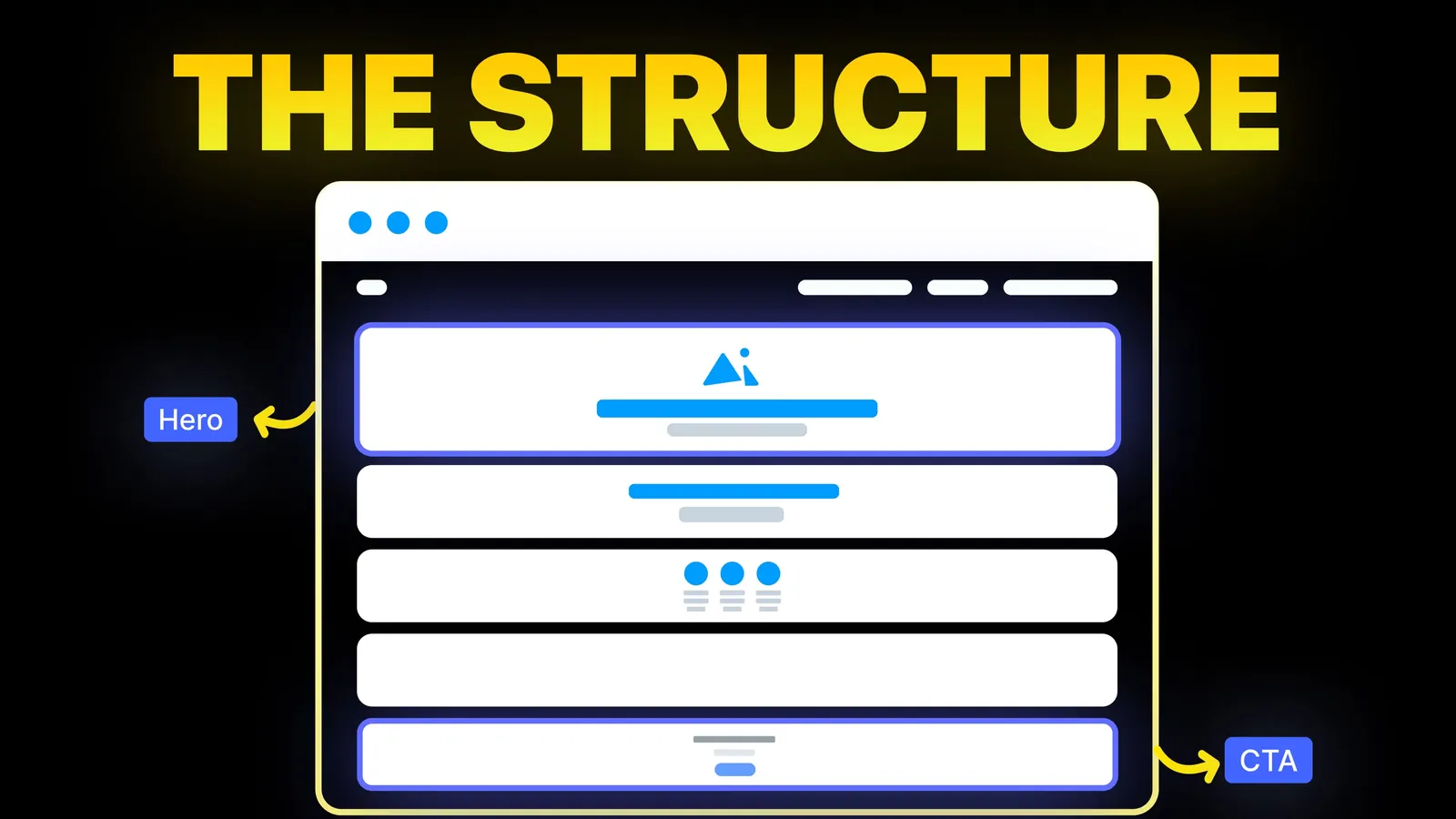
How to Turn Your Website Into a High-Converting Sales Tool
The structure behind a website that sells: the five decisions that carry conversion, the homepage section order, and how to rebuild without losing traffic.
Web Design
Most FAQ page guides are galleries: a search bar here, a tabbed layout there, accordions everywhere. Few ask whether the accordion helps the reader, how to build one that works with a keyboard, or what happened to FAQ rich results in 2026. This guide covers the questions to include, the layout to choose, how to word answers, accessible markup, and the schema question, from Nielsen Norman Group, the W3C and Google's own documentation, read on 15 November 2026.
A good FAQ page answers the questions people actually ask you, in the words they use, with the answer in the first sentence. Group the questions by topic, put the most common ones first, and keep each answer short with a link to the full detail. If people usually need one or two answers, collapse the answers into an accordion built from real buttons and headings. If they tend to read several, show everything as plain text with a list of questions at the top. Do not add questions to fill space, and do not write it for Google's FAQ rich result, which no longer appears. Finish with a clear way to ask what the page did not cover.
About us: Amariq designs and builds websites on Webflow, Framer, WordPress, Shopify and static hosting, and writes FAQ sections for the sites we build. The guidance below is from Nielsen Norman Group, the W3C's ARIA Authoring Practices Guide and Google Search Central, read on 15 November 2026.
We searched Google (US, English) for "faq page design" on 15 November 2026. The results were Dribbble, SaaS Landing Page's 24 examples, Webflow's "9 FAQ website examples" (13 January 2026), Wix's guide (25 September 2026), Figma components, Unsection's section library, Pinterest, WrapPixel's templates (25 March 2026), Zendesk's 19 examples and SeedProd's scored list. Google's AI summary recommended accordions, a search bar, categories, clear type and a contact link.
Webflow's article covers finding real questions, keeping the design simple and choosing between a page and a section, and it says FAQs help AI search understand a site. What none of the results discusses is when an accordion makes a page worse, how to build one that a keyboard user can open, or the fact that Google retired FAQ rich results in 2026. Those three are where FAQ pages most often go wrong.
NN/g's article "FAQs Still Deliver Great Value" says questions should echo the real concerns people contact you about, and in most cases reflect your visitors' vocabulary and phrasing. In practice:
What to leave out: questions nobody asked ("Why is our service the best?"), and anything that belongs on a policy page in full. Link to the policy instead.
| Situation | Best fit |
|---|---|
| Five to ten questions about one product or service | A short FAQ section on that page, near the call to action |
| Questions that apply across the business (payment, delivery, booking) | One FAQ page, linked from the footer and the contact page |
| Dozens of questions, long answers, screenshots | A help centre: a list of questions leading to an answer page each |
| A question that stops people buying | Answer it on the page where they hesitate, not only in the FAQ |
NN/g puts the line for a single page at short and medium FAQs; past that, separate answer pages work better. Our guides to services page design and pricing page design show where on-page FAQs earn their place.
NN/g's "Accordions on Desktop" (30 July 2023) lists what an accordion costs: fragmented access when people need several answers, more clicks, and content that may be missed if the heading does not make the reader want to open it. It also warns against accordions that close one panel when another opens, because people cannot compare answers. Its advice is to use accordions when people need only a few pieces of information on a long page.
| If your readers... | Use |
|---|---|
| Usually need one or two answers | An accordion, with questions grouped under topic headings |
| Read most of the answers, or compare them | Plain text: a question list at the top, answers below |
| Arrive from search looking for one specific answer | Plain text or one answer page per question, so the answer is visible on arrival |
| Are on a phone and the page is long | An accordion often helps; keep the questions short so they fit on one or two lines |
Whichever you choose, let several answers stay open at once, and never hide the one fact people most need, such as your phone number or prices, inside a closed panel.
The W3C's ARIA Authoring Practices Guide sets out the accordion pattern. Each question is a button, the button sits inside a heading at the right level for the page, and the button carries aria-expanded set to true or false depending on whether the answer is showing. The button's aria-controls points to the panel that holds the answer. The button should be the only thing inside the heading.
In plain terms, for whoever builds your site:
| Requirement | Why it matters |
|---|---|
| Each question is a real button, inside a heading | Keyboard users can reach it, and screen reader users can jump between questions |
| aria-expanded is true when open, false when closed | Screen readers announce whether the answer is showing |
| aria-controls links the button to its answer | Assistive technology knows which panel the button opens |
| Visible focus style on the button | Keyboard users can see where they are |
| The answer text is in the page, not loaded later | It can be read, searched and indexed |
Many builders ship an FAQ or accordion component; check that yours meets the table before you trust it. Our website accessibility checklist covers how to test with a keyboard.
Google's Search Central documentation updates page, read on 15 November 2026, records a deprecation notice for the FAQ rich result in May 2026 and a later entry removing the FAQ rich result documentation, saying the feature is no longer shown in Google Search results. So the old advice, add FAQPage markup to win extra space in results, no longer applies.
That does not make FAQs useless for search. A clear question and a direct answer is still easy for search engines and AI assistants to read and quote, as long as the text is visible on the page. Our guide to schema markup for business websites covers which structured data still earns something, and our AI search guide to llms.txt covers what does and does not help with AI answers.
| Check | Done when |
|---|---|
| Questions come from real enquiries | Each one was asked by a customer in the last few months |
| Most common questions first | The top three cover most of what people ask |
| Answer in the first sentence | Every answer starts with yes, no, a number or the direct fact |
| Grouped by topic | Headings such as Booking, Payment, Delivery |
| Accordion only if it helps | And it uses buttons inside headings, with aria-expanded |
| No key fact hidden | Prices, phone and hours are visible elsewhere on the page |
| Links to full detail | Policies and long answers have their own page |
| A way to ask | Contact link or form at the end. Our contact page guide covers the form |
| A date to review | Someone checks the answers every quarter |
When we build a site, we collect the questions your customers really ask, write answers that lead with the fact, and place them where people hesitate: on the service, pricing and contact pages, plus one FAQ page for business-wide questions. Every accordion we ship uses buttons inside headings and is tested with a keyboard. Work is quoted from scope rather than hours, and paid 40% at kickoff, 30% at design approval and 30% before launch. Once the last payment clears, the design, copy and code are yours to keep, with the domain, hosting and analytics in your own accounts. See our web design service or ask us a question.
The questions customers ask you most, in their words, grouped by topic with the most common first. Each answer should start with the direct fact and link to more detail. End with a way to contact you.
As many as people really ask, and no more. A section on a service page usually needs five to ten. Once the list gets long, NN/g suggests a list of questions that leads to separate answer pages.
Use one when visitors usually need only one or two answers. If they read most of the answers or compare them, show the text openly. NN/g notes that accordions add clicks and can hide content people need.
Not for rich results. Google's documentation updates page says the FAQ rich result is no longer shown in Google Search and its documentation has been removed. A clear, visible question and answer still helps readers and is easy for search engines to understand.
Follow the W3C accordion pattern: each question is a button inside a heading, the button has aria-expanded set to true or false, and aria-controls points to its answer panel. Then test it with a keyboard.
Both, for different jobs. Put product or service questions on that page, near the call to action. Put business-wide questions, such as payment and delivery, on one FAQ page linked from the footer.

The structure behind a website that sells: the five decisions that carry conversion, the homepage section order, and how to rebuild without losing traffic.
Website layout examples by business type and page: which layout fits a service firm, shop, restaurant or portfolio, with eye-tracking data. Checked 16 Nov 2026.
Eight homepage design ideas for businesses that sell by enquiry, with when to use each, plus the section order of amariq.com's own homepage.