
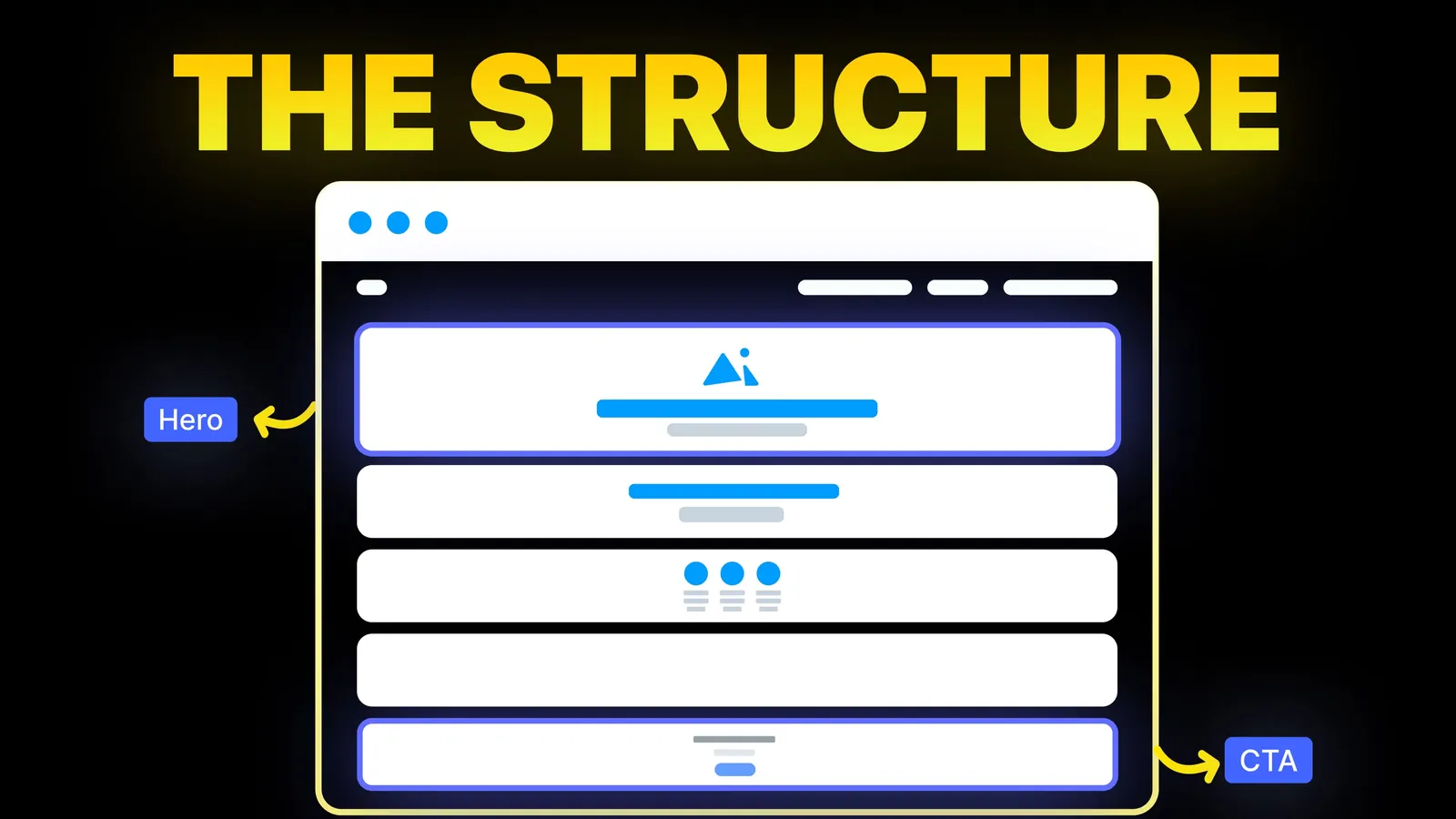
How to Turn Your Website Into a High-Converting Sales Tool
The structure behind a website that sells: the five decisions that carry conversion, the homepage section order, and how to rebuild without losing traffic.
Conversion
A website wireframe is a plain plan of a page: what goes where, in what order, and what each part does, before any colour, font or photo is chosen. Most guides on the subject are written for designers and are several years old. This one is for the business owner who is about to plan a site or has just been sent wireframes by a designer, with the tools' prices read on 19 November 2026.
A website wireframe is a simple black-and-white layout of a web page that shows its structure: the header and navigation, the sections in order, the headings and text in each, where images will go, and the buttons and forms. It leaves out visual style on purpose, so everyone can agree on what the page says and does before anyone argues about colour. To make one, list what the page must achieve, gather the real content, sketch the sections in order on paper, then draw a clean version for desktop and phone in a tool such as Figma or Balsamiq, and review it against the page's goal.
About us: Amariq is a studio that plans, designs and builds websites. We wireframe every page before design starts. The tool prices below come from Figma's and Balsamiq's own pricing pages, and the research from Nielsen Norman Group's articles, all read on 19 November 2026.
We searched Google (US, English) for "website wireframe" on 19 November 2026. Google's AI summary gave a definition, the three levels of detail and a list of tools. The results under it were a seven-year-old Medium guide, a marketing course page, a 2018 YouTube video, Balsamiq's and Justinmind's videos, Dribbble, BigCommerce's glossary entry, and image results from GoDaddy, Miro and SmartDraw.
The definitions agree with each other and are fine. What is missing is the view from the person paying for the site: how to give a designer what they need to wireframe well, and how to judge the wireframes you are sent. Several of the most visible pages are also old enough that their tool advice is out of date. That is where this guide focuses.
| Deliverable | What it shows | When it is used |
|---|---|---|
| Sitemap | The list of pages and how they connect | Before wireframes; our website sitemap guide covers it |
| Wireframe | The structure and content of one page, without visual style | After the sitemap, before design |
| Mockup | What the page will look like: colour, type, images | After the wireframe is agreed |
| Prototype | A clickable version to test how it works | Alongside or after mockups |
Wireframes are among the most common things a design team produces. In a Nielsen Norman Group survey of 86 UX professionals published in October 2015, wireframes and prototypes were the deliverables most often produced. The same article warns against unrealistic content in them, such as lorem ipsum text.
| Level | Looks like | Good for |
|---|---|---|
| Low detail | Pen sketches or grey boxes with labels | Trying several page orders quickly |
| Medium detail | Clean boxes, real headings, real button labels, rough text | Agreeing the page with the business owner |
| High detail | Exact spacing, real copy throughout, notes on behaviour | Handing over to the designer and developer |
Most small business sites need the first two. Jumping straight to high detail tends to start the colour and font debate too early, which is the very thing a wireframe exists to postpone.
If a section cannot be given a one-line job, it probably does not belong on the page. Our website layout examples show common section orders by business type.
Nielsen Norman Group's article on layout and content argues that layout and content should be designed toward each other. It lists what goes wrong when a template is designed first and content poured in later: empty placeholders that have nothing to hold, consistency for its own sake, sections that cannot grow when the navigation or the text gets longer, and early guesses that harden into limits such as "all summaries must be five lines". Its advice is to design with existing content where you have it, to borrow similar material where you do not, and to use placeholders only in the first stages of low-detail wireframes.
For a small business site this is practical, not academic. Write the real headline, the real service names and the real button labels into the wireframe. If the copy is not written yet, write a rough version. A wireframe full of grey lines looks finished and tells you nothing about whether the page will work.
Prices read on the makers' own pricing pages on 19 November 2026, in US dollars.
| Tool | Free option | Paid from | Best for |
|---|---|---|---|
| Paper and pen | Free | Free | The first sketches, by anyone |
| Figma | Starter plan: free, with unlimited drafts and UI kits and templates | Paid plans priced per seat | Clean wireframes that become the real design in the same tool |
| Balsamiq | 14-day free trial, no credit card | Starter $16 a month per editor, billed annually ($192 a year), up to 10 projects | Fast low-detail wireframes that look deliberately unfinished |
Balsamiq's Teams plan is $24 a month per editor ($288 a year) and Enterprise $35 ($420 a year), both billed annually; its page notes that sales tax may apply. Figma's page lists Professional, Organization and Enterprise plans with separate prices for full, dev and collab seats. If you are hiring a designer, you do not need any of these: ask them to share the wireframes as a link or a PDF.
AI wireframe generators now exist in several tools. They can produce a starting layout quickly, but they cannot know your business, your best proof or your customers' questions. Treat their output as a first sketch to correct, not a plan.
A wireframe review is the cheapest point in the project to change your mind. Go through each page and ask:
| Question | What a good answer looks like |
|---|---|
| Can I tell what this business does from the first screen? | A clear headline in real words, not a slogan |
| Is the main action obvious, and is it the right one? | One button, worded as what happens next |
| Are the sections in the order a customer asks questions? | What, for whom, proof, how, price, questions, contact |
| Is every section earning its place? | Each has a one-line job |
| Does the phone version work? | Main action visible early, nothing important hidden |
| Is the content real? | Real headings, services, prices or ranges, no lorem ipsum |
| What happens after a form is sent? | A clear next step, such as a thank you page |
Give feedback on structure and content at this stage. Save comments about colours and fonts for the design stage, when they can be answered.
Every Amariq project starts with a sitemap and wireframes in real words, reviewed with you before any visual design begins, so changes happen while they are cheap. The work is priced from scope, never by the hour, and paid 40% to start, 30% at design approval and 30% before launch. Once the final payment is made, the design, copy and code are yours, and the domain, hosting and analytics accounts are in your name. To start, book a call or read about our web design service.
A simple black-and-white plan of a web page showing its structure: the sections in order, the headings and text, where images go, and the buttons and forms. It leaves out colour, fonts and photos so the content and layout can be agreed first.
A wireframe shows structure and content without visual style. A mockup shows what the finished page will look like, with colour, typography and images. Wireframes come first.
Yes, even a quick one. A few sketches on paper for the home page and a service page will catch problems in order and content before anyone spends time on design or build.
Yes. Paper and pen cost nothing, and Figma's Starter plan is free with unlimited drafts and UI kits and templates. Balsamiq offers a 14-day free trial.
Yes, as far as you can. Nielsen Norman Group advises designing with real content and using placeholder text only in the first low-detail stage. Real headlines and button labels show whether the page will work.
It depends on the number of pages and how ready the content is. A small site with a handful of pages and content ready can be wireframed far faster than one where the copy still has to be written. Our guide on how long it takes to build a website shows where wireframing sits in the timeline.
AI tools can produce a starting layout, but they do not know your business, customers or proof. Use the output as a first sketch and correct it against the page's job and your real content.

The structure behind a website that sells: the five decisions that carry conversion, the homepage section order, and how to rebuild without losing traffic.
Good button design for websites: hierarchy, size, contrast, the five states, labels, and when to use a link instead. With WCAG 2.2 numbers.
Eight homepage design ideas for businesses that sell by enquiry, with when to use each, plus the section order of amariq.com's own homepage.