

Case study
A real estate website that shows you the floor plan before the sales pitch
Halvery is a city agency for buying, renting and selling homes. We designed its website for Webflow, light first with a dark version from the same source, and let the working parts do the selling: a search that filters real listings, a floor plan you can explore and a seller dashboard.
In short
- What it is
- The website for Halvery, a city real estate agency that helps people buy, rent and sell homes, designed for Webflow in a light and a dark version.
- Who it is for
- People moving one home at a time: first buyers, families sizing up, renters, and owners getting ready to sell.
- The hard part
- Most agency sites look the same: a skyline, a search box and a wall of listings. Nothing tells you what the home is like inside or what selling with them involves.
- The idea
- Show the product instead of promising it. A search that really filters, a floor plan for every home, and the dashboard a seller gets after they sign.
- The design
- A white page, pure black type and one acid lime, daylight photos of homes, Switzer at light weights, and a small 4, 8 and 12 pixel corner scale.
- Good to know
- The addresses, prices, sizes and people on the page are sample content written for the design, and the photos are representative.
What Halvery is
Halvery is a city agency working across four neighbourhoods: Maple Row, Elm Park, Linden Green and Harbour Side. The same team handles buying, renting and selling, so a renter today can be a buyer next year without starting again somewhere else.
Three things set it apart, and the website is built around them. Every home it lists gets a drawn floor plan. Viewings are booked online at times that suit the buyer. And sellers see every viewing and offer in one dashboard, the day it happens.
The problem the site had to solve
- Three audiences, one page. Buyers, renters and sellers all land on the homepage, and each needs to find their own way in within seconds.
- Listings that can be scanned. Price, area, type, size and status have to be readable at a glance, on a laptop and on a phone held in one hand.
- Show the inside of a home. Photos sell the look, but people decide on layout. The plan should be easy to find, not a PDF behind a button.
- Make selling feel clear. Owners want to know what happens after they sign. The page has to show the steps, not just say “we get results”.
Search first, with homes you can picture
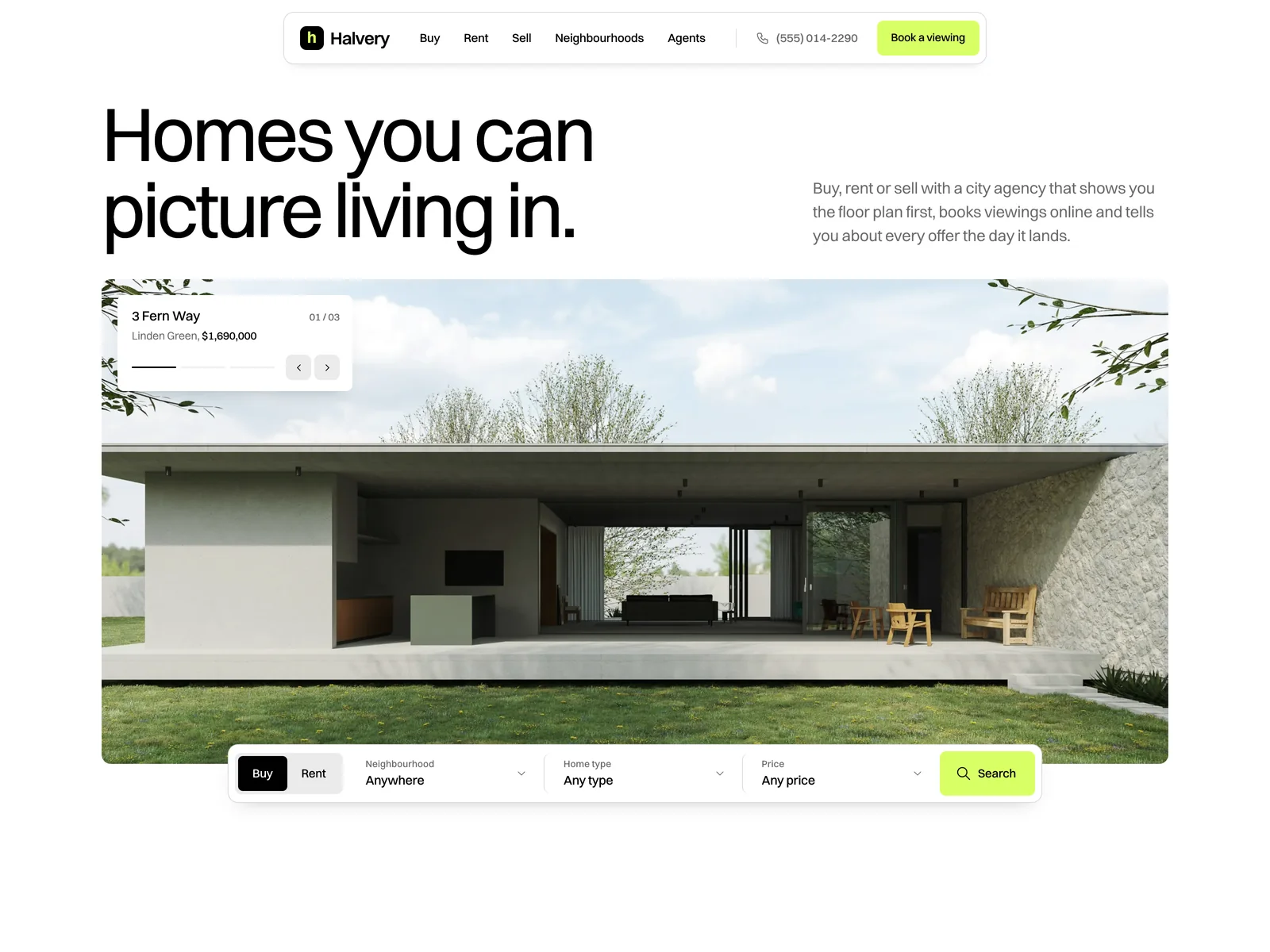
The first screen is a headline, Homes you can picture living in, and a wide frame of featured homes that change slowly, each with a small caption card: the address, the area, the price and a thin progress line. Every featured home is one of the listings further down the page.
The search bar sits on the bottom edge of the photo: Buy or Rent, neighbourhood, home type and price. It is not decoration. Pick Rent or a neighbourhood and press Search, and the listings below are filtered to match before the page scrolls to them.
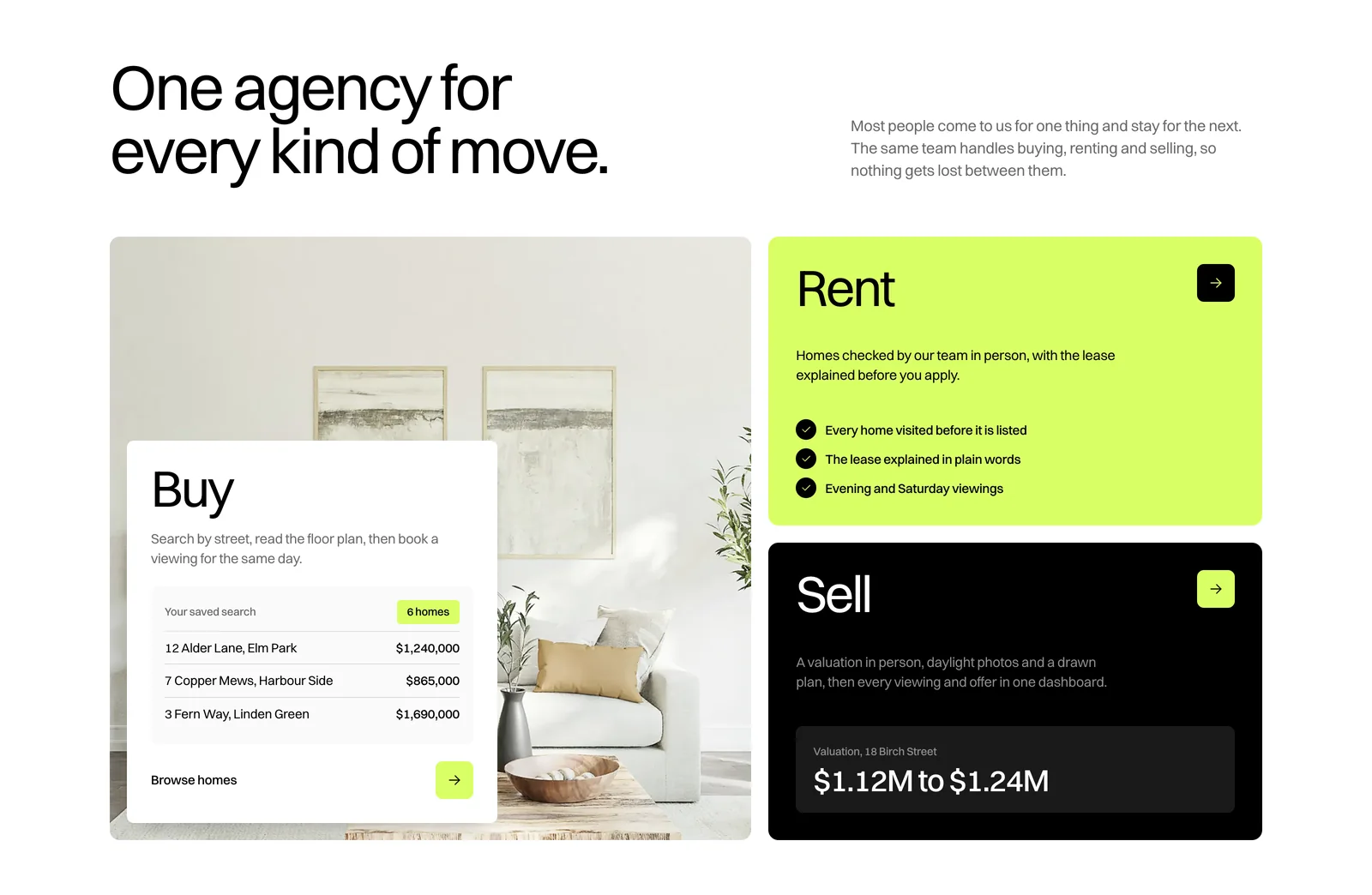
One agency, three ways in
Right after the hero, a bento splits the page by what the visitor came to do. Buy is a large photo card with a saved search inside it. Rent is the lime card, with three plain promises about renting through Halvery. Sell is the black card, with a valuation range as a first taste of the seller tools further down.
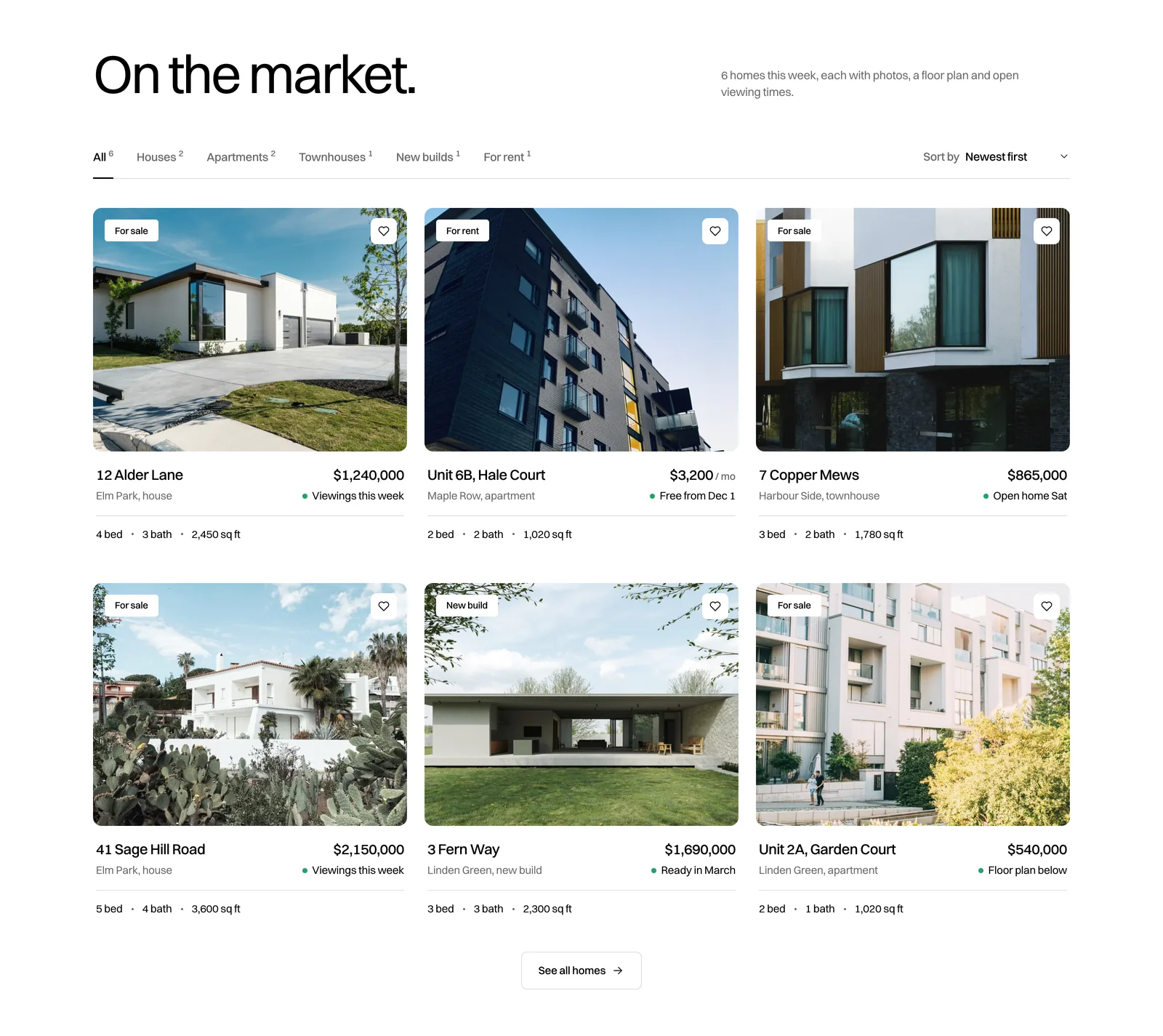
Listings you can scan in a second
The listing cards have no box around them. A large rounded photo carries the status tag and a save button. Under it, the name and price share one line, the area, type and availability share the next, and beds, baths and size sit quietly under a hairline. Six homes, one card design, nothing that changes between them except the content.
The tabs above the grid filter by home type, with a small count beside each, and Sort reorders by newest or price. When the grid changes, it fades out, updates and fades back in, so cards never slide into each other halfway through.
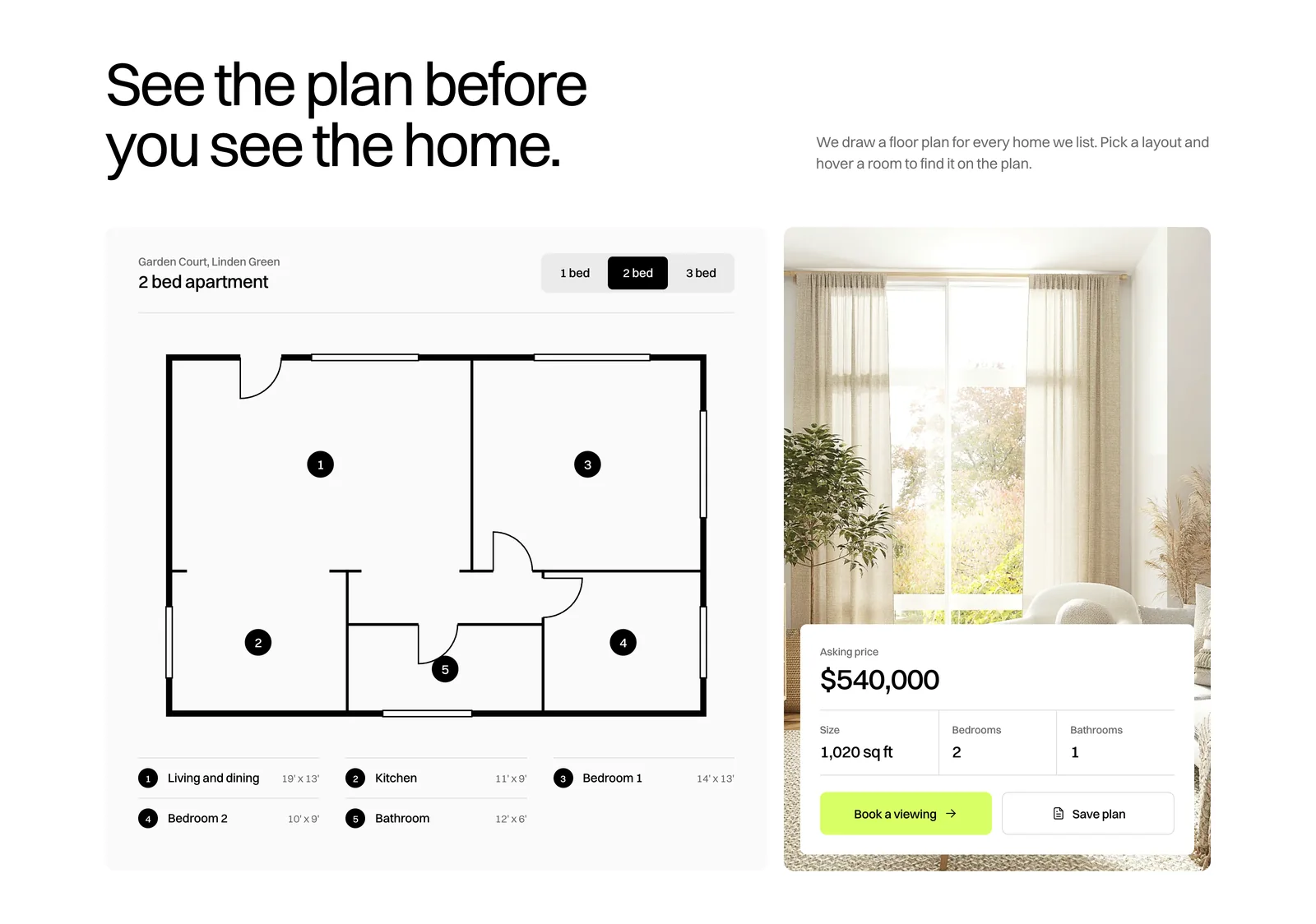
See the plan before you see the home
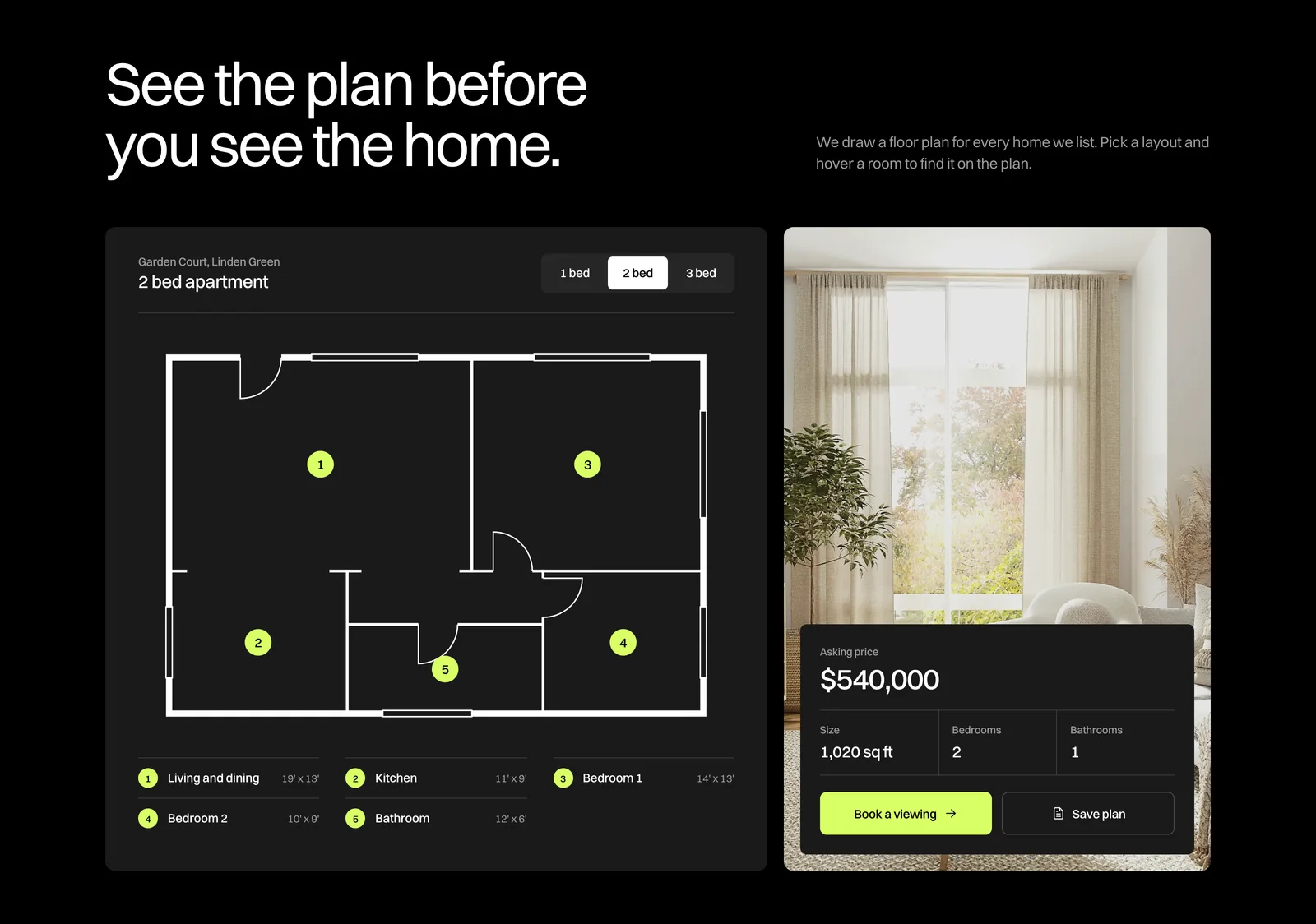
This is the section the whole design leans on. One featured home, a clean architect-style plan, and a switcher for its 1, 2 and 3 bed layouts. Switching redraws the walls and updates the price, size and room counts beside it.
The rooms are numbered on the plan, and their names and sizes sit in a key underneath, so the plan stays readable at phone width. Hovering a room in the key lights it up on the plan. The living room photo beside it carries the asking price, size, bedrooms and bathrooms, with Book a viewing and Save plan underneath.
Selling, shown step by step
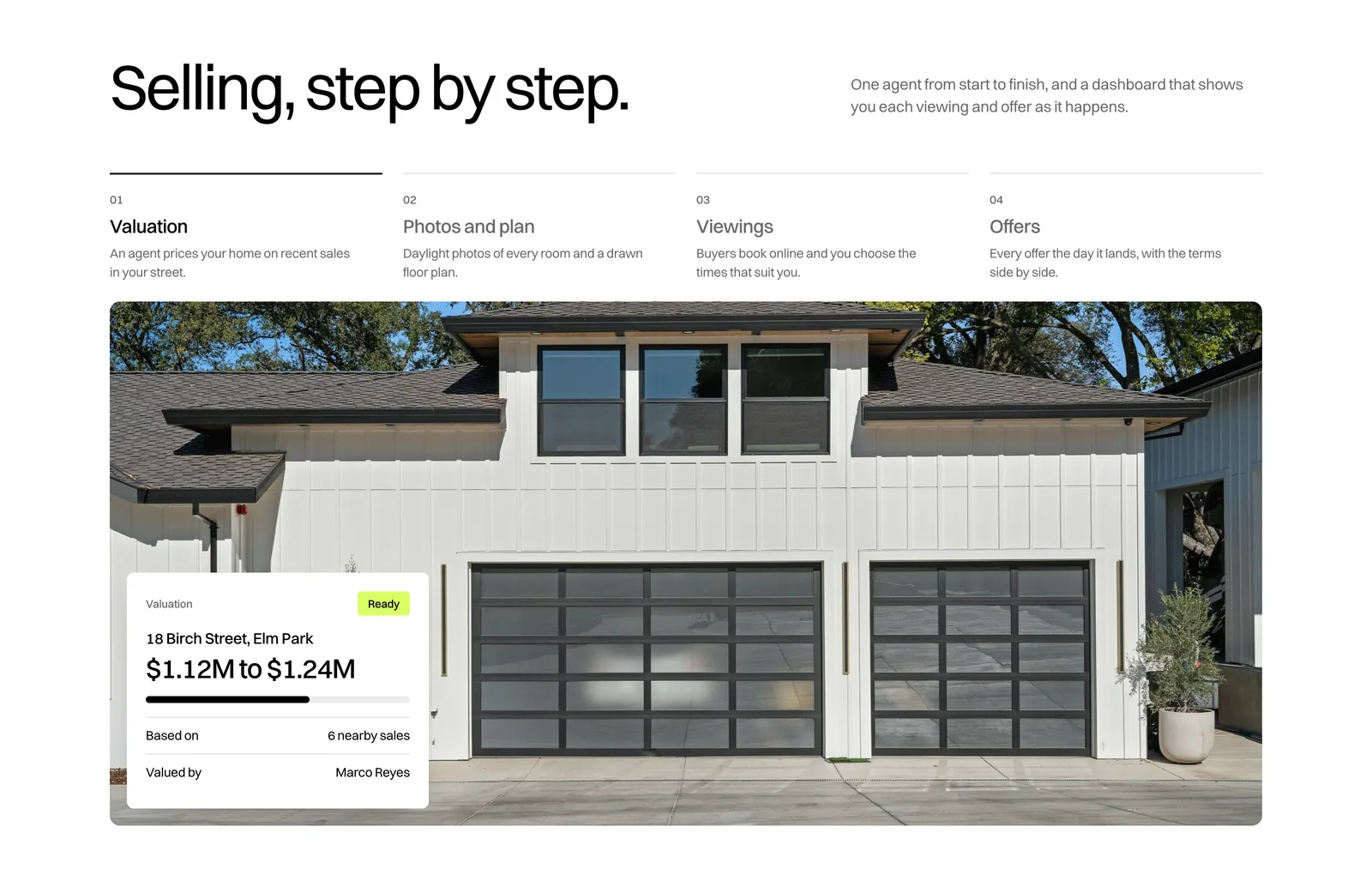
Sellers get four steps in a row of tabs: Valuation, Photos and plan, Viewings and Offers. Every step shows its number, name and one line at once, so nothing is hidden behind a click. The selected step changes the wide photo below, and each photo carries the matching piece of the seller dashboard: a valuation range, the photo and plan checklist, the week’s viewings, and the offers as they arrive.
Neighbourhoods as an index
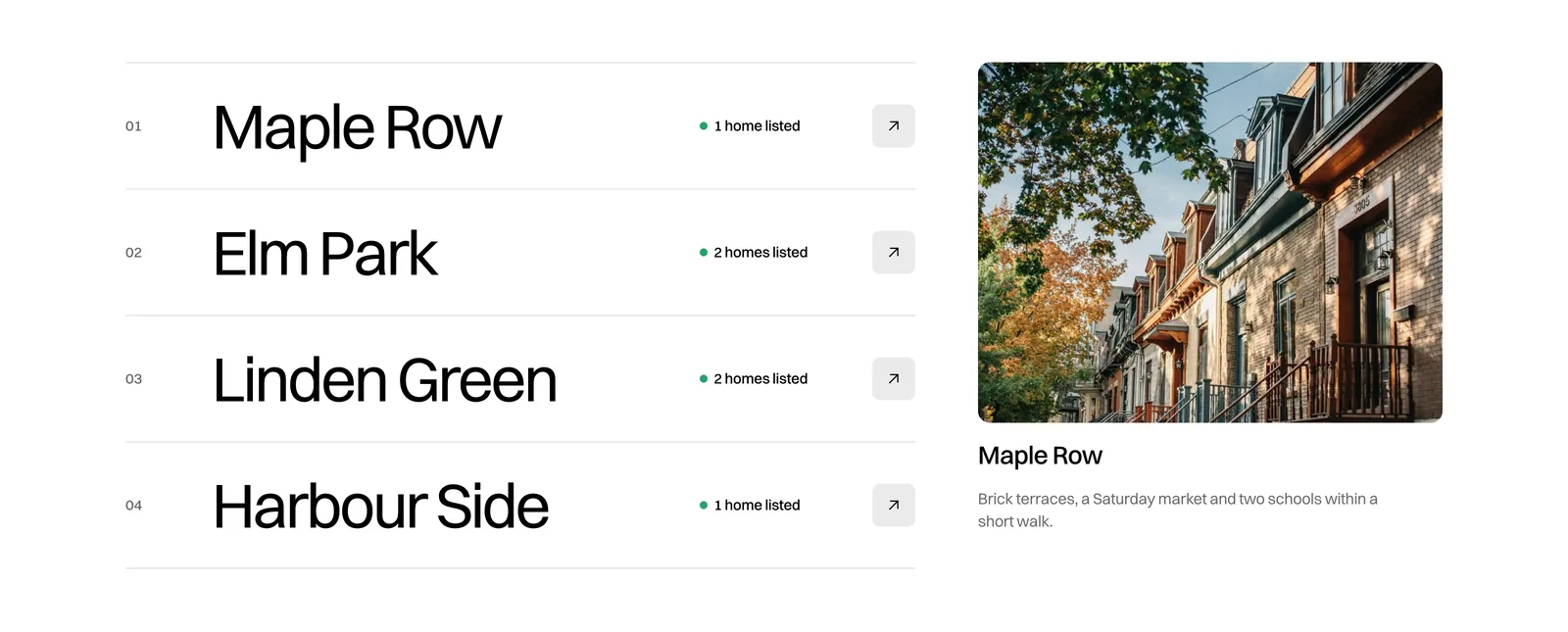
Instead of four more photo cards, the neighbourhoods are a typographic index: four big names, each with the number of homes it has listed on the page. Point at a name and the panel on the right shows that street and one line about living there. A photo that followed the pointer was tried first and dropped, because it covered the very name being read.

The brand system
The palette is almost nothing: white, pure black and one acid lime, with two greys for lines and fields. Lime is saved for the things you press first, the main button, the search button and small ticks, and it is never used as text on white. A green dot marks availability and nothing else.
Switzer, a Swiss-style sans, carries every word on the page at light weights: 400 for the big headlines, 500 for names, prices and buttons. Corners come from a three step scale, 4 pixels for tags, 8 for buttons and inner panels, 12 for cards and photo frames, which reads calmer and more expensive than pill shapes everywhere.
Every photo is a daylight shot of a real home with the same quiet grade built into the file, so stock photography from different places reads as one agency’s listings.
Light first, dark from the same source
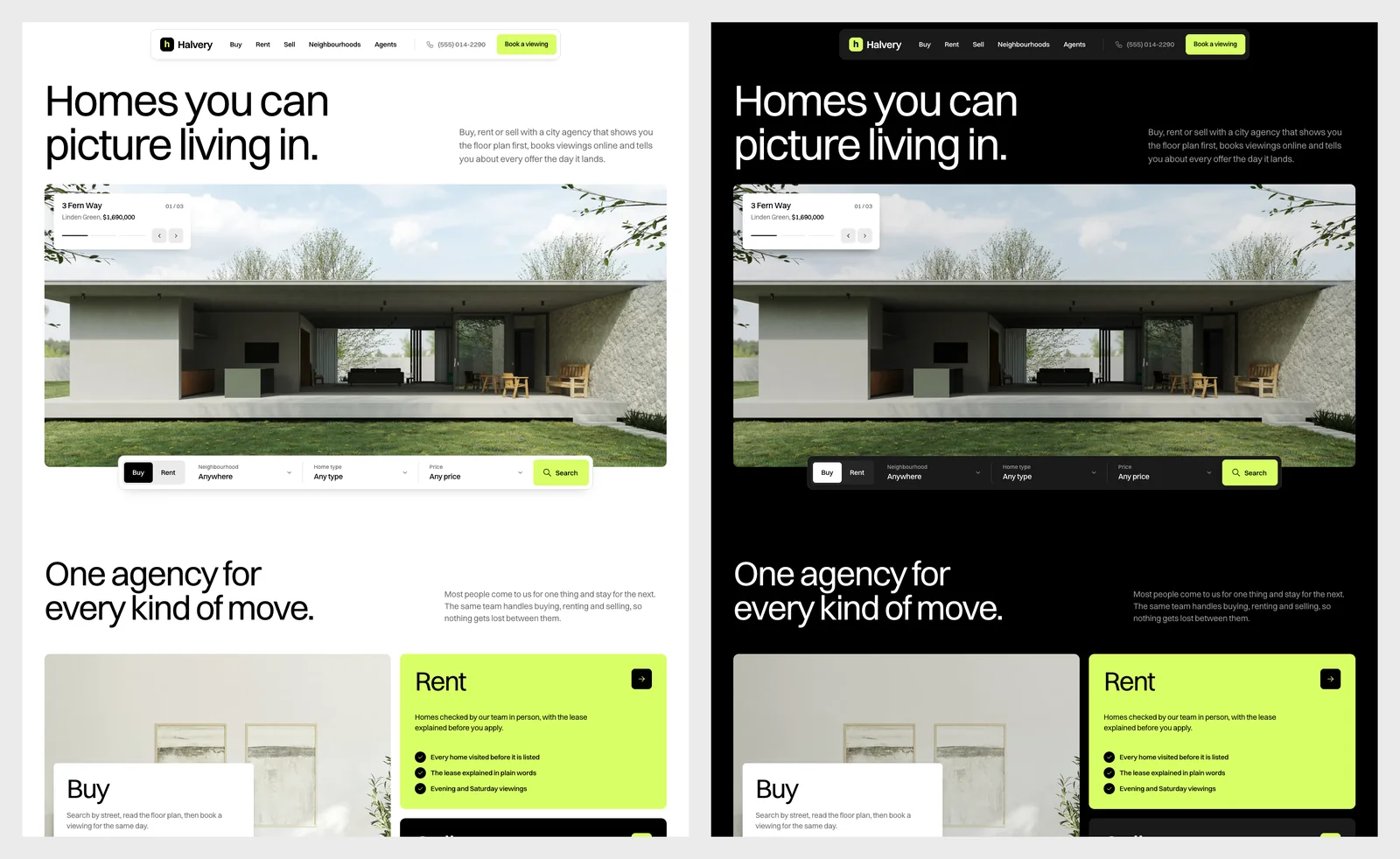
The light version is the main one, because homes sell on daylight and a white page lets the photos lead. The dark version is generated from the same file, so a layout change reaches both themes at once.
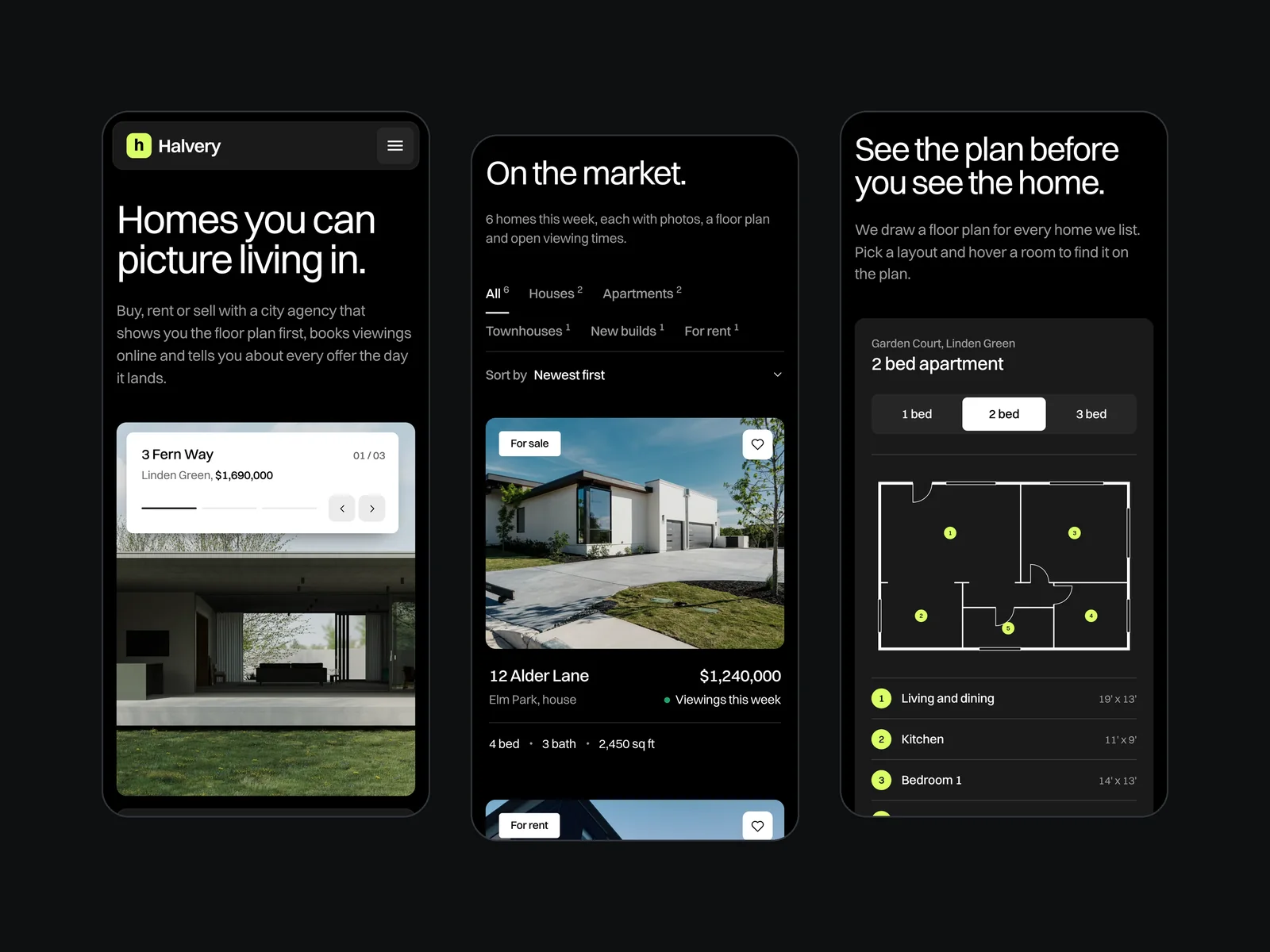
In the dark version the page turns black and the type turns white, while the lime stays exactly the same. The photos get their own darker grade, baked into a second set of files, so they sit comfortably on black instead of glaring.
Motion with a job
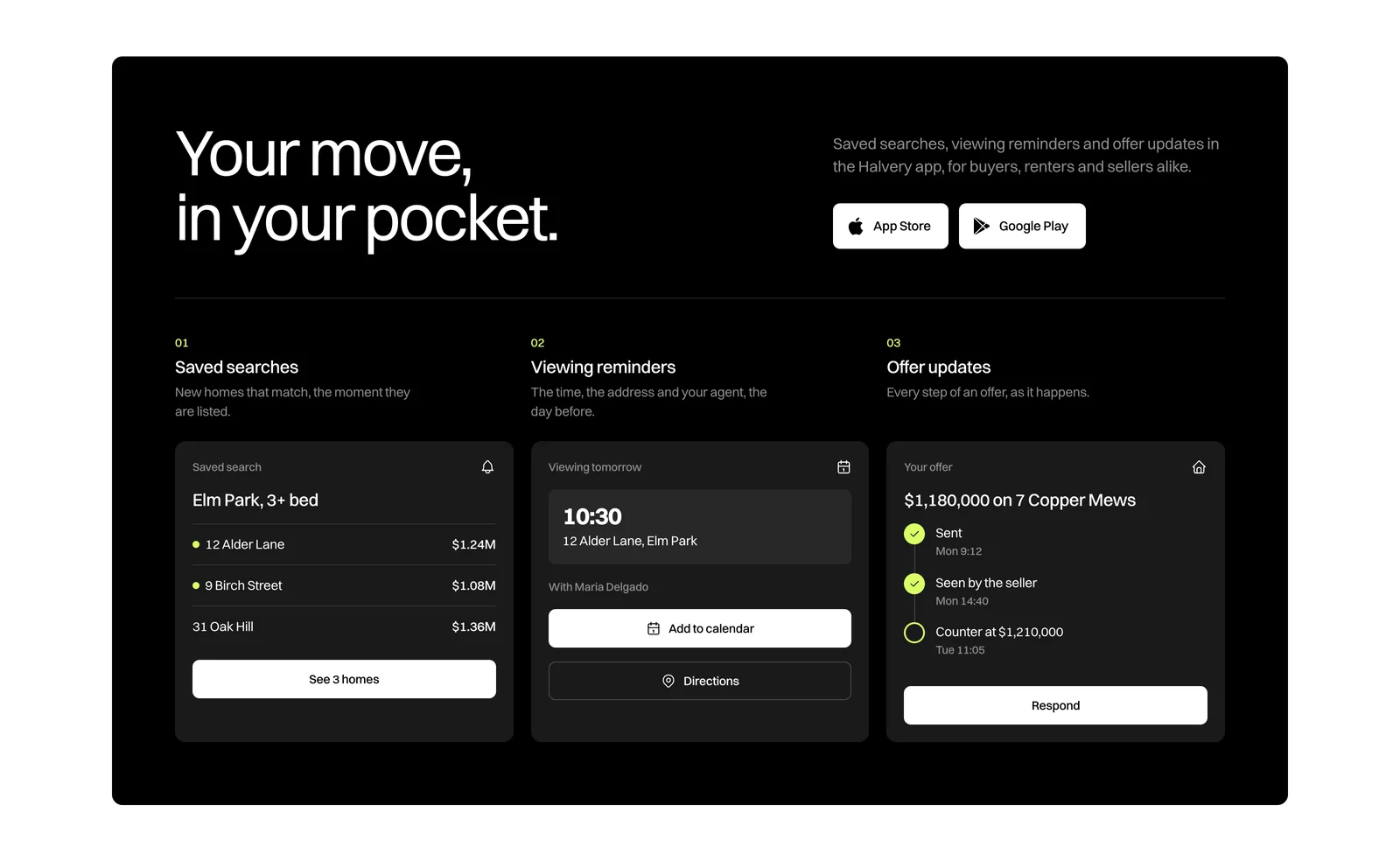
- One opening moment. The headline rises line by line, the photo frame opens and the search bar slides up into place.
- One slow loop. The featured homes change every six and a half seconds, only while the hero is on screen, and each caption fades out fully before the next one fades in.
- A nav that gets out of the way. It tucks away while you scroll down and comes back on the way up. A soft grey pill slides behind the link you point at and rests on the section you are reading.
- Hover that changes something real. Listing photos zoom in slightly, neighbourhood names step forward, and buttons fill. No glows, no cursor effects.
- Calm by request. For visitors who ask their system for reduced motion, every animation is off and the page is complete without it.
Fast and easy to read
- Light to load. The page loads in seven requests and about 380 KB. The typeface and animation code are served from the site itself, and the second and third hero photos load only shortly before they are shown.
- Steady while loading. The photo grade is built into the files instead of being calculated as you scroll, and nothing on the page shifts as it loads.
- Easy to read. Every visible line of text passes the WCAG AA contrast standard, in both themes, on desktop and on phones, including the white text on photos.
Built for phones, not squeezed onto them
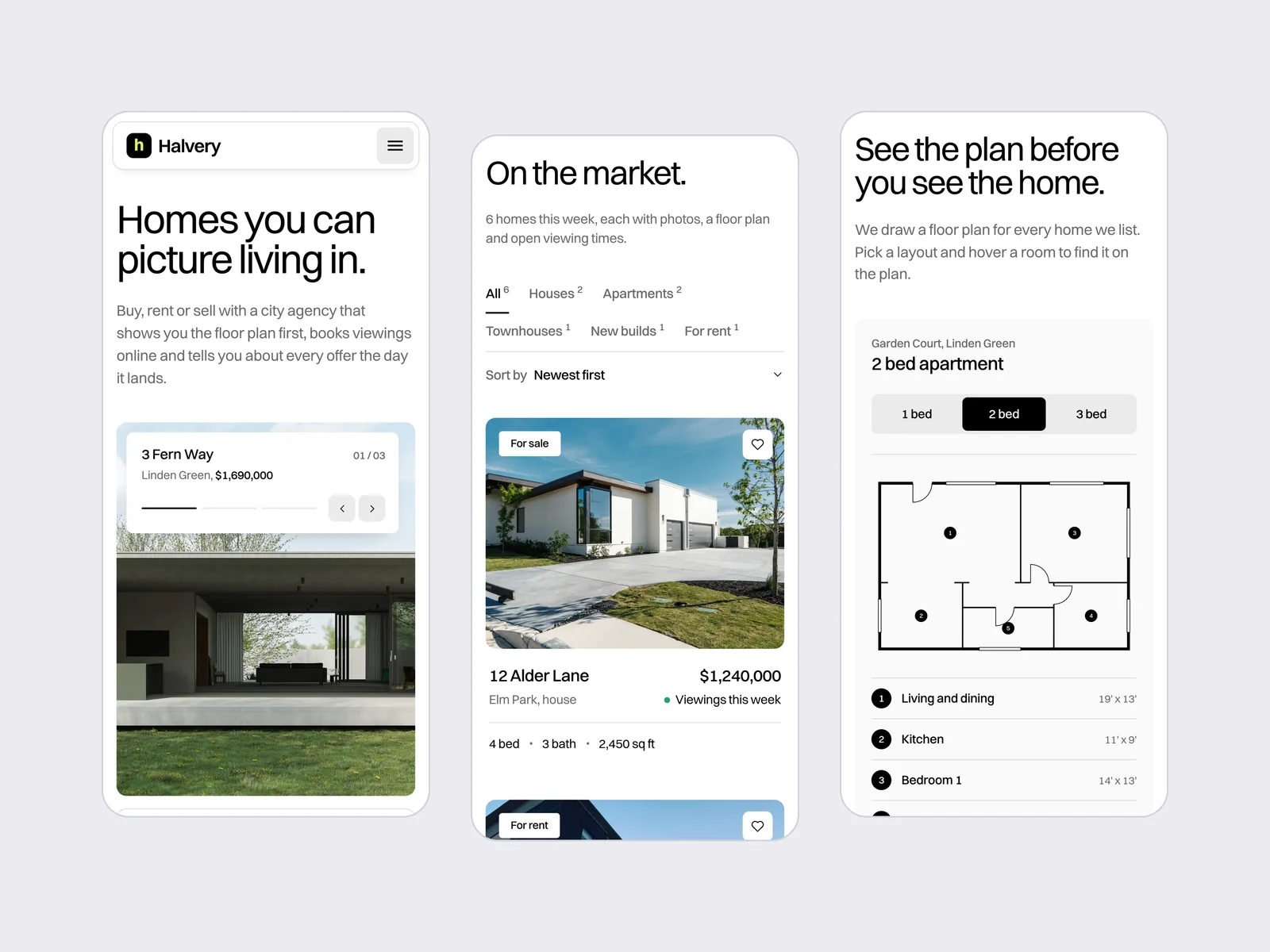
On a phone the hero photo turns portrait, the listing tabs wrap onto two lines instead of running off the edge, and the floor plan switcher spans the full width so every layout is easy to tap. The room key becomes a single list, and the navigation opens into a full-screen menu with big links.
Ready for Webflow
Halvery was designed for a Webflow build from the first section. Class names follow the Finsweet Client-First system, each section stands on its own so it can become a Webflow component, and the colours, type, corners and spacing sit in a small set of shared variables. Listings, neighbourhoods and agents map straight to CMS collections, the two themes are a single variable swap, and the animations are written with GSAP, the same engine behind Webflow Interactions.
Questions
What people ask about this project.
Can you design a real estate website like this for our agency?
Yes. We start from how your buyers, renters and sellers actually use your site: the searches they run, the homes you list each week, how viewings are booked and what sellers want to see after they sign. The page is then built around those jobs.
We design for Webflow by default, with listings, neighbourhoods and agents set up so your team can add and change them without touching the design.
Can the listings come from our property feed or CRM?
On this design the listings, filters and sort run on the page itself. On a live project the same cards are filled from Webflow CMS, or from your listing feed or CRM through a sync, and the filters keep working the same way.
How is the floor plan drawn?
Each plan is drawn as clean SVG from a small set of room data: walls, doors, windows and numbered rooms. That keeps every plan sharp at any size and easy to restyle, and the room key beside it stays readable on a phone.
Why is the light version the main one?
Homes sell on daylight photos, and a white page with black type lets them do the work. The dark version comes from the same source file, for agencies with a darker brand or a second look for campaigns.
Can it be built on a platform other than Webflow?
Yes. We design for Webflow first, and we also build on Framer, WordPress and Shopify. The structure, components and motion carry over to any of them.
Next case study